Forums on Intune, SCCM, and Windows 11

Welcome to the forums. Register a free account today to become a member! Once signed in, you'll be able to participate on this site by adding your topics and posts, as well as connect with other members through your own private inbox!

NEW Wake On LAN

JamesBowtell

Member
Messages
16
Solutions
1
Reaction score
0
Points
1
Afternoon everyone,

Since disabling protocols other than TLS 1.2 on all SCCM server infrastructure, WOL has decided to stop working. I haven't changed anything else. If I use a 3rd party WOL tool, the remote client wakes up.

SCCM infrastructure live on a different subnet to the remote client.

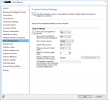
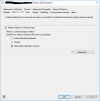
below are my site and client settings.
1646051018736.png

1646051069675.png
 
Solution
Hi,

I have identified issue with WOL. The SQL Service Broker for the SCCM database was disabled after database maintenance, Enabled and everything is now working again.

To resolve open SQL Server Management Service and use the below SQL queries to identify and resolve

Check SQL Broker Service
If the column is_broker_enabled is set to 0 for your SCCM database (CM_<Sitecode>), the SCCM broker service is disabled for your database and no push client notifications will work.

SQL:
SELECT
    name, database_id, is_broker_enabled
FROM sys.databases

Use the query below to enable SQL Broker Service

Enable SQL Broker Service
SQL:
alter database [<SCCMdbname>] set enable_broker with rollback immediate;
Hi,

I have identified issue with WOL. The SQL Service Broker for the SCCM database was disabled after database maintenance, Enabled and everything is now working again.

To resolve open SQL Server Management Service and use the below SQL queries to identify and resolve

Check SQL Broker Service
If the column is_broker_enabled is set to 0 for your SCCM database (CM_<Sitecode>), the SCCM broker service is disabled for your database and no push client notifications will work.

SQL:
SELECT
    name, database_id, is_broker_enabled
FROM sys.databases

Use the query below to enable SQL Broker Service

Enable SQL Broker Service
SQL:
alter database [<SCCMdbname>] set enable_broker with rollback immediate;
 
Solution
Back
Top