Forums on Intune, SCCM, and Windows 11

Welcome to the forums. Register a free account today to become a member! Once signed in, you'll be able to participate on this site by adding your topics and posts, as well as connect with other members through your own private inbox!

SOLVED Urgent help Update hotfix SCCM problem

  • Thread starter Thread starter namnv
  • Start date Start date
  • Replies Replies 3
  • Views Views 6K

namnv

Member
Messages
18
Reaction score
0
Points
1
Dear All,
I have an ADR to automatic update hotfix for window Server 2012.

But problem is some server can receive the update when it run, but another server is cannot receive update.
I attact the log file and image in error server

I troubleshooting but not sucessful,
Please help me.
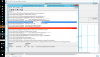
 

Attachments

Code:
2018-09-05    14:52:29:170      80    a44    Misc    WARNING: Network Cost is assumed to be not supported as something failed with trying to get handles to wcmapi.dll
2018-09-05    14:52:29:201      80    a44    Misc    WARNING:     IsSessionRemote: WinStationQueryInformationW(WTSIsRemoteSession) failed for session 2, GetLastError=2250
2018-09-05    14:52:29:202      80    a44    Misc    WARNING:     IsSessionRemote: WinStationQueryInformationW(WTSIsRemoteSession) failed for session 3, GetLastError=2250
2018-09-05    14:52:29:206      80    a44    AU    WARNING: Failed to get Wu Exemption info from NLM, assuming not exempt, error = 0x80240037


A similar issue is covered here. Can you try the belows steps
1. Click on Start, and then click Run.
2. Type cmd in the Open box to get a DOS prompt.
3. Type "net stop wuauserv" without the quotes at the command prompt, and press
Enter.
4. Delete (or put in recycle bin) the contents of
C:\WINDOWS\SoftwareDistribution (but not the SoftwareDistribution folder)5. Type net start wuauserv at the command prompt, and press Enter.
6. Now try Windows Update again.
 
Try this. go to C:\WINDOWS\System32\GroupPolicy\Machine and check the last modified date on the registry.pol file. If it is old, rename the file to registry.OLD then go into configuration manager applet in control panel and run machine policy retrieval and software update eval cycle. That will start the new policy
 
Last edited:

Forum statistics

Threads
7,157
Messages
27,936
Members
18,239
Latest member
rajg

Latest posts

Back
Top