Hi All
I need some help
I have an HTA file with a 4hrs countdown that must inform users that their systems will be upgraded from windows 7 to windows 10 (in-place upgrade)
The HTA on its own is working great but... I now need to bring this into the upgrade task sequence
the problem is when i put the HTA in the task sequence the popup screen is not being displayed to the end user.
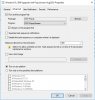
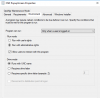
I have done the following
I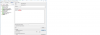
in one of my other attempts i tried this
it does copy the file to C:\TEMP\POPUP
But again when it has to execute the CMD file to call the hta nothing happens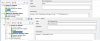
thank you in advance
I need some help
I have an HTA file with a 4hrs countdown that must inform users that their systems will be upgraded from windows 7 to windows 10 (in-place upgrade)
The HTA on its own is working great but... I now need to bring this into the upgrade task sequence
the problem is when i put the HTA in the task sequence the popup screen is not being displayed to the end user.
I have done the following
I
in one of my other attempts i tried this
it does copy the file to C:\TEMP\POPUP
But again when it has to execute the CMD file to call the hta nothing happens
thank you in advance