Forums on Intune, SCCM, and Windows 11

Welcome to the forums. Register a free account today to become a member! Once signed in, you'll be able to participate on this site by adding your topics and posts, as well as connect with other members through your own private inbox!

PENDING updates issues with error code 0x00000000

Messages
7
Reaction score
0
Points
1
We are facing updates issues with error code 0x00000000.
Few machines from this error, updates are rolling back and devices are trying to install updates every day and they are getting rolled back and never gets updates installed.
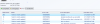
Please find the attachment.
 

Attachments

  • Capture.PNG
    Capture.PNG
    48.5 KB · Views: 32
@sreekanth
You need to check the logs . Did you logged in locally and verified patches installed ?
 
1. Update (Missing): 2020-02 Cumulative Update for Windows 10 Version 1809 for x64-based Systems (KB4532691) (d959bd97-3c54-40d0-8100-6d302772e599, 200)
1584036719860.png
 
80070005 describes access denied.. check the av . And dig CBS.log ,windowsupdate.log
 
Here goes one more - Check if the user has SCCM accounts added in local administrator accounts.
 
Hi Gokul,

How do I check the user has SCCM accounts added in local administrator accounts?

Thanks,
Sreekanth
@sreekanthkotla
Search "Edit Local users and groups" ->open->groups->administrator->check your Service AC has been added or not
And I could see one more error in SS , 0x87D00664 – Update jobs has been cancelled - Instruct the user to allow the installation of patches (ie initiate client policies)
 
I don't think the Error code 0x00000000 means the update installation failed. Try running the Update Scan Cycle again and run the summarization. Update what the report says.

Thanks for reply Prajwal.

I did this many times. I do not see any changes. Few Machines which contains this error code do not install updates and gets failed installing updates by saying"undoing changes cant install updates".
1584367309850.png

Thanks,
Sreekanth
 
Hi Sreekanth ,

By coincidence , i have seen same message in my infra . I have checked couple of machines locally . Some clients installed with update , so i've ran Software Updates Scan Cycle and Evaluate Software Update Deployments . But some showing undoing changes post reboot . I would recommend to initiate the polices first and still same issue it could be due to proxy issue or missing components on the Windows Store .
 
Hi Sreekanth ,

By coincidence , i have seen same message in my infra . I have checked couple of machines locally . Some clients installed with update , so i've ran Software Updates Scan Cycle and Evaluate Software Update Deployments . But some showing undoing changes post reboot . I would recommend to initiate the polices first and still same issue it could be due to proxy issue or missing components on the Windows Store .

What should we do if it was due to proxy issue or missing components.

Thanks,
Sreekanth
 
Checking the proxy settings.
  1. Click Start and type in inetcpl.cpl and press Enter. This will open the Internet Options window.
  2. Under Connections tab, click on LAN settings.
  3. Remove the check beside Use a proxy server for your LAN (These settings will not apply to dial-up or VPN connections). and click OK.
  4. Launch Windows Store again and check if the issue persist.
  5. If there's no check beside Use a proxy server for your LAN, proceed to method 2.

Repair Windows Store using Powershell.
  1. Click start and type in powershell and press Enter.
  2. Copy and paste this Get-AppxPackage | % { Add-AppxPackage -DisableDevelopmentMode -Register "$($_.InstallLocation)\AppxManifest.xml" -verbose } on Powershell and press Enter.
  3. Restart your device and launch Windows Store again.
Best of luck
 

Forum statistics

Threads
7,133
Messages
27,856
Members
18,151
Latest member
TonyGTR
Back
Top