Hello, been working on this issue for a full week now and asking for help!
I am testing updates for remote user in Always On VPN, i setup Device Collection, ADR, Client Settings, Boundary & GPO for ~10 PC
1 of my PC correctly received and installed the updates (so SCCM, ADR, SUP, WSUS & GPO is working fine) but all the others PC will simply not show the updates in software center. "Updates" in software center is empty.
- UpdatesStore.log : show the 1909 April updates i want to install.
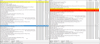
- WUAHandler.log : does not show any specific error.. (in attachment screenshoot of LEFT computer that does not show update and RIGHT computer that does show upate.
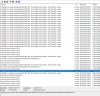
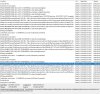
- LocationServices.log : does not show any error (img.1) but PC that is working has a lot more stuff going on (location2 log)
I dont understand why Software Center is not showing any updates.
If you need any more logs please ask !
Thanks for your help guys
PS: all pc are in the same GPO, SUP deployment, Collection membership, boundary and client settings.
I am testing updates for remote user in Always On VPN, i setup Device Collection, ADR, Client Settings, Boundary & GPO for ~10 PC
1 of my PC correctly received and installed the updates (so SCCM, ADR, SUP, WSUS & GPO is working fine) but all the others PC will simply not show the updates in software center. "Updates" in software center is empty.
- UpdatesStore.log : show the 1909 April updates i want to install.
- WUAHandler.log : does not show any specific error.. (in attachment screenshoot of LEFT computer that does not show update and RIGHT computer that does show upate.
- LocationServices.log : does not show any error (img.1) but PC that is working has a lot more stuff going on (location2 log)
I dont understand why Software Center is not showing any updates.
If you need any more logs please ask !
Thanks for your help guys
PS: all pc are in the same GPO, SUP deployment, Collection membership, boundary and client settings.