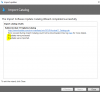
Page CatalogDownloadProgressPageViewModel about to start.    ImportWizardViewModel    23/05/2018 11:40:04    1804 (0x070C)
Starting download(s) for 1 catalogs.    CatalogDownloadProgressPageViewModel    23/05/2018 11:40:04    1804 (0x070C)
Starting the downloads up...    CatalogDownloadProgressPageViewModel    23/05/2018 11:40:04    1804 (0x070C)
Starting a new download, there are currently 0 active download jobs, max is 4.    DownloadManager    23/05/2018 11:40:04    1804 (0x070C)
Starting new task to schedule download jobs.    DownloadManager    23/05/2018 11:40:04    1804 (0x070C)
Waiting for downloads to complete.    CatalogDownloadProgressPageViewModel    23/05/2018 11:40:04    1804 (0x070C)
Task started to activate pending download jobs.    DownloadManager    23/05/2018 11:40:04    7560 (0x1D88)
Activating job '3d3d8c2a-f8ff-44f7-b0ea-fda95ab937c7', there are now 0 jobs pending activation.    DownloadManager    23/05/2018 11:40:04    7560 (0x1D88)
Job '3d3d8c2a-f8ff-44f7-b0ea-fda95ab937c7' was activated, there are now 1 active jobs.    DownloadManager    23/05/2018 11:40:04    7560 (0x1D88)
All pending jobs have been activated, activation task is ending.  There are 1 active jobs.    DownloadManager    23/05/2018 11:40:04    7560 (0x1D88)
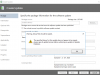
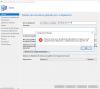
Download file: 'http://armmf.adobe.com/arm-manifests/win/SCUP/Reader11_Catalog.cab' failed.    FileDownloader    23/05/2018 11:40:04    6976 (0x1B40)
==================== Exception Detail Start =======================    FileDownloader    23/05/2018 11:40:04    6976 (0x1B40)
Exception type: WebException    FileDownloader    23/05/2018 11:40:04    6976 (0x1B40)
Exception HRESULT: -2146233079    FileDownloader    23/05/2018 11:40:04    6976 (0x1B40)
Exception Message: Le serveur distant a retourné une erreur : (503) Serveur non disponible.    FileDownloader    23/05/2018 11:40:04    6976 (0x1B40)
Exception source UpdatesPublisher.BaseServices     FileDownloader    23/05/2018 11:40:04    6976 (0x1B40)
Exception TargetSite Void MoveNext()    FileDownloader    23/05/2018 11:40:04    6976 (0x1B40)
Stack:    à Microsoft.UpdatesPublisher.BaseServices.WebClientWrapper.<DownloadAsync>d__17.MoveNext()
--- Fin de la trace de la pile à partir de l'emplacement précédent au niveau duquel l'exception a été levée ---
   à System.Runtime.ExceptionServices.ExceptionDispatchInfo.Throw()
   à System.Runtime.CompilerServices.TaskAwaiter.HandleNonSuccessAndDebuggerNotification(Task task)
   à Microsoft.UpdatesPublisher.BaseServices.FileDownloader.<DownloadFileAsync>d__11.MoveNext()    FileDownloader    23/05/2018 11:40:04    6976 (0x1B40)
===================== Exception Detail End ========================    FileDownloader    23/05/2018 11:40:04    6976 (0x1B40)
Job 3d3d8c2a-f8ff-44f7-b0ea-fda95ab937c7 has completed, the error code is 1.    DownloadManager    23/05/2018 11:40:04    7256 (0x1C58)
Removed job 3d3d8c2a-f8ff-44f7-b0ea-fda95ab937c7 from active job list, there are no longer any active jobs.    DownloadManager    23/05/2018 11:40:04    7256 (0x1C58)
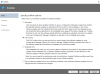
All downloads have completed, 0 successful and 1 failures.    CatalogDownloadProgressPageViewModel    23/05/2018 11:40:04    1804 (0x070C)
Page ImportUpdatesResultPageViewModel about to start.    ImportWizardViewModel    23/05/2018 11:40:04    1804 (0x070C)