Forums on Intune, SCCM, and Windows 11

Welcome to the forums. Register a free account today to become a member! Once signed in, you'll be able to participate on this site by adding your topics and posts, as well as connect with other members through your own private inbox!

PENDING Uninstall Citrix application on a workstation using SCCM

  • Thread starter Thread starter jbrntuo
  • Start date Start date
  • Replies Replies 3
  • Views Views 3K

jbrntuo

Member
Messages
5
Reaction score
0
Points
1
HI,
Does anyone know how to uninstall Citrix application using SCCM please? Citrix is a .exe application and I have been tasked to uninstall the application from numerous workstations on the network using SCCM instead of manually going from workstation to workstation. This is the first time trying it and I have no clue doing it

Thank you
 
Look for the silent uninstall option in this registry hive and see if it is silently uninstalling,

Example : setup.exe /silent /uninstall

HKEY_LOCAL_MACHINE\SOFTWARE\Microsoft\Windows\CurrentVersion\Uninstall\<Application>
HKEY_LOCAL_MACHINE\SOFTWARE\WOW6432Node\Microsoft\Windows\CurrentVersion\Uninstall\<Application
>

When you've found the silent parameter, create a package using the Packages model,
Note: Applications model required detection method)
1678270095628.png


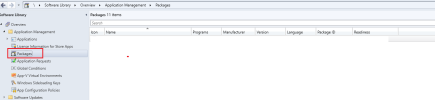
  1. Open up System Center Configuration Manager and browse to Software Library -> Overview -> Application Management -> Packages
  2. Click on Create Package on the top left corner.
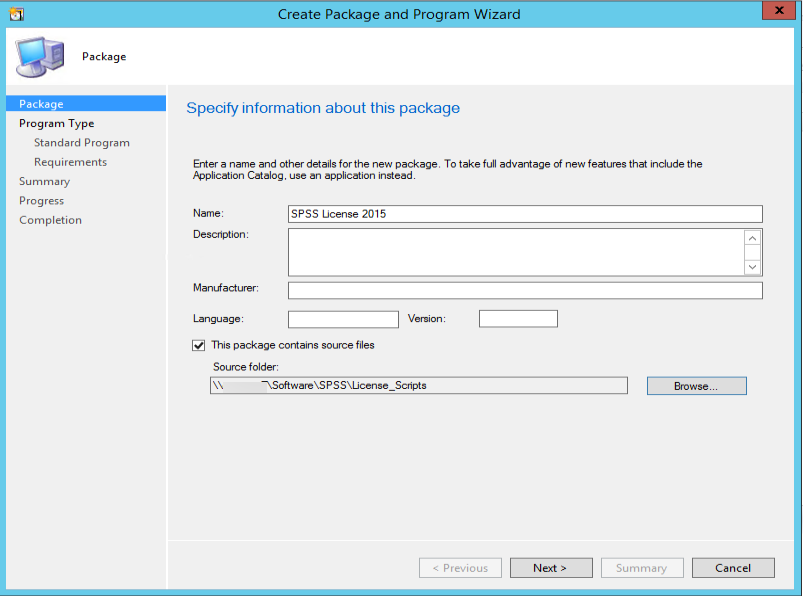
  3. Enter a name and check on The package contains source files. Enter the Source folder. Click on Next to continue.
    img_58812c3a48d0d.png
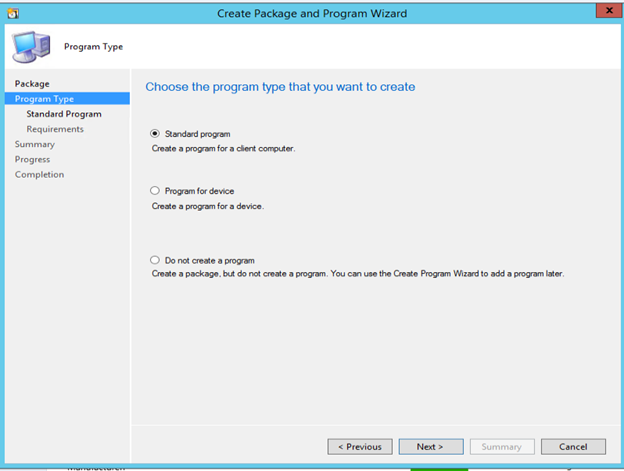
  4. Select the program type and click on Nextto continue
    img_58812c8233d16.png
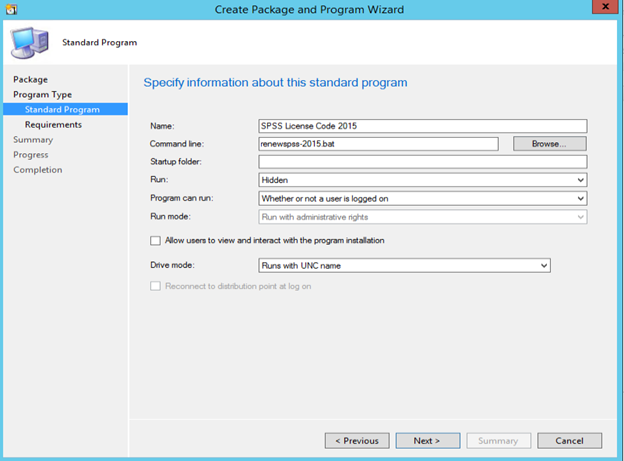
  5. Enter a name and the command line command. In this example, we use a batch file. Change the other settings according to your need. We set Run to Hidden and Program can run to Whether or not a user is logged on.
    img_58812caf791df.png
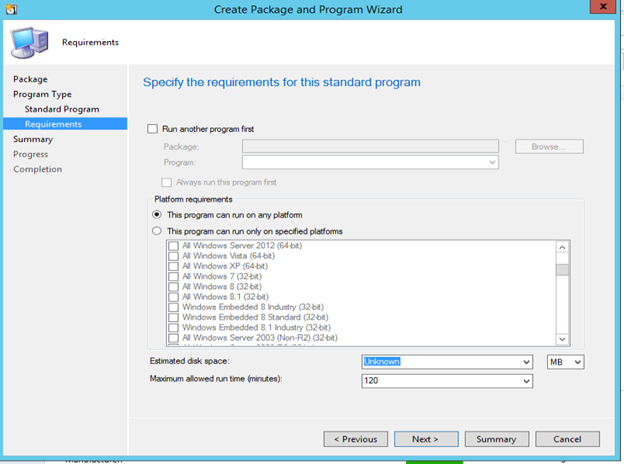
  6. If you want to restrict the platforms, click on This program can run only on specified platforms and make your selection. Otherwise, click on Nextto continue.
    img_58812cfa7ed53.png
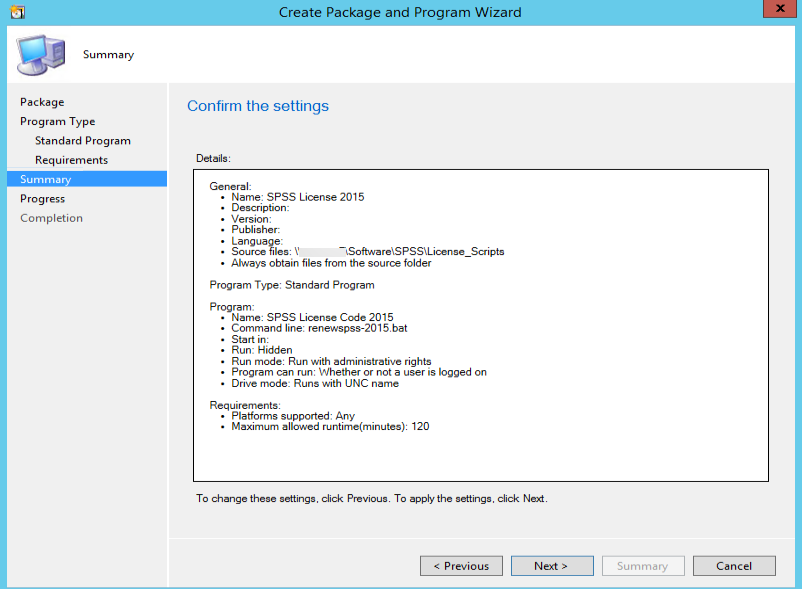
  7. Click on Nextto continue.
    img_58812d577f1aa.png
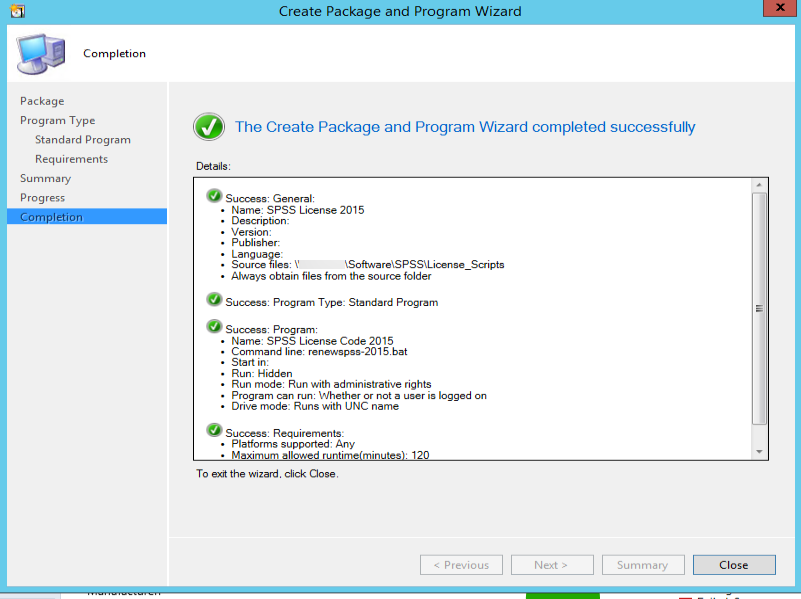
  8. Click on Close to finish it.
    sccm3.png
Finally deploy to endpoints using device collection.
 
Thank you very much for your ideas and support. I will test it when I get to work tomorrow. I appreciate you all
 
Look for the silent uninstall option in this registry hive and see if it is silently uninstalling,

Example : setup.exe /silent /uninstall

HKEY_LOCAL_MACHINE\SOFTWARE\Microsoft\Windows\CurrentVersion\Uninstall\<Application>
HKEY_LOCAL_MACHINE\SOFTWARE\WOW6432Node\Microsoft\Windows\CurrentVersion\Uninstall\<Application
>

When you've found the silent parameter, create a package using the Packages model,
Note: Applications model required detection method)
1678270095628.png

Hi,
Thanks for the step by instruction you provided. However, I didn't understand the above portion of your message. I was able to follow your directions, created the package and deployed to the workstations but it rather installed the exe application I am trying to uninstall instead . Also, I am not sure where to add (Example : setup.exe /silent /uninstall) in SCCM to get the citrix.exe application uninstalled from the computers. Can you please provide graphical steps for the {setup.exe /silent /uninstall) like you did for the second half of your response? Thank you very much
 

Forum statistics

Threads
7,144
Messages
27,894
Members
18,191
Latest member
escdarck

Trending content

Back
Top