spicehead-53186
Member
- Messages
- 7
- Reaction score
- 0
- Points
- 1
I accidently uninstalled(thought I was on the RDP PC) Teams on my machine by uninstalling Teams Machine-Wide installer in Programs and Features. Now I am unable to install it from Software Center, and even using the MSI installer does not install it. So not sure what to do here?
Here are my steps:
When I search my registry by MSI Product Code, nothing comes back, no results found.
From Config Manager:
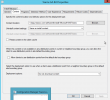
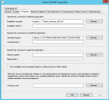
Installation program: msiexec /i "Teams_windows_x64.msi"
Uninstall program: msiexec /x {731F6BAA-A986-45A4-8936-7C3AAAAA760B}
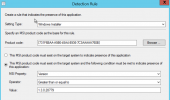
Detection Method: MSI Product code: {731F6BAA-A986-45A4-8936-7C3AAAAA760B}
Would appreciate any direction here or where to go next on this..
p.s.Rebooted just now and saw that Teams Machine-Wide installer is in Programs and Features but still unable to launch Teams nor does it show in Programs and Features but Software Center displays it as installed.
Here are my steps:
- 1. Confirm Teams is not installed in Programs and Features
- 2. Use Config Manager to clear my cache
- 3. Attempt to install Teams from Software Center
When I search my registry by MSI Product Code, nothing comes back, no results found.
From Config Manager:
Installation program: msiexec /i "Teams_windows_x64.msi"
Uninstall program: msiexec /x {731F6BAA-A986-45A4-8936-7C3AAAAA760B}
Detection Method: MSI Product code: {731F6BAA-A986-45A4-8936-7C3AAAAA760B}
Would appreciate any direction here or where to go next on this..
p.s.Rebooted just now and saw that Teams Machine-Wide installer is in Programs and Features but still unable to launch Teams nor does it show in Programs and Features but Software Center displays it as installed.