Forums on Intune, SCCM, and Windows 11

Welcome to the forums. Register a free account today to become a member! Once signed in, you'll be able to participate on this site by adding your topics and posts, as well as connect with other members through your own private inbox!

PENDING Unable to access DMZ Server from the Primary Site Server.

  • Thread starter Thread starter Slasher
  • Start date Start date
  • Replies Replies 3
  • Views Views 675

Slasher

New Member
Messages
3
Reaction score
0
Points
1
Hello Prajwal Desai Support team,

Need assistance with this please as my Primary Server is not able to connect to DMZ Server -

Error:

1745270292365.png

Collected the NetMon:

69680 2025-04-15 23:39:05.038570 10.125.12.28 10.13.7.25 SMB2 Session Setup Request, NTLMSSP_NEGOTIATE
69681 2025-04-15 23:39:05.038913 10.13.7.25 10.125.12.28 SMB2 Session Setup Response, Error: STATUS_MORE_PROCESSING_REQUIRED, NTLMSSP_CHALLENGE
69733 2025-04-15 23:39:05.078858 10.125.12.28 10.13.7.25 SMB2 Session Setup Request, NTLMSSP_AUTH, User: CORP\SCCMPRI02$
69745 2025-04-15 23:39:05.079886 10.13.7.25 10.125.12.28 SMB2 Session Setup Response, Error: STATUS_LOGON_FAILURE
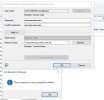
 
Testing connectivity to this server ...NetBIOS failed - 1365: ClientRealmName is '' for user 'UCSCSCOM\DCNOO$MCM' because connecting to server '\UCSCSCOM.UCSCSCOM.NET'.Unable to disable NTLM.Control path test failed for "\\Display=\\UCSCSCOM.UCSCSCOM.NET\SMS_SITE-NV2\SMS_SITE=NV2". (UCSCSCOM.UCSCSCOM.NET).Failed to make a network connection to \\UCSCSCOM.UCSCSCOM.NET\ADMIN$\SMS_SITE=).Retrying to connect to server.Attempting to use the current user context of local system, the machine account.The current user context will be used for connecting to "\\Display=\\UCSCSCOM.UCSCSCOM.NET\SMS_SITE-NV2\SMS_SITE=NV2" 1 (UCSCSCOM.UCSCSCOM.NET).Failed to make a network connection to \\UCSCSCOM.UCSCSCOM.NET\ADMIN$\SMS_SITE=).ERROR: Failed to access server "\\UCSCSCOM.UCSCSCOM.NET\". probably because the machine is down, the network is down, or the Site System Installation account is misconfigured. (CWin32Exception: 0x80070005)STATMSG: ID=1037 SEV=E LEV=A SOURCE="SMS Server" COMP="SMS_SITE_COMPONENT_MANAGER" SYS=SCCMPRV02.corpscholasticlocal.local SITE=NV2 PID=3372 TID=3492 GMTDATE=Tue Apr 01, ... SMS_SITE_COMPONENT_MANAGER.\\UCSCSCOM.UCSCSCOM.NET is not the Default MP.Cannot access HKEY_LOCAL_MACHINE\SOFTWARE\Microsoft\SMS\registry keys on server \\UCSCSCOM.UCSCSCOM.NET. The operating system reported error 5: Access is denied.STATMSG: ID=3739 SEV=E LEV=M SOURCE="SMS Server" COMP="SMS_SITE_COMPONENT_MANAGER" SYS=SCCMPRV02.corpscholasticlocal.local SITE=NV2 PID=3372 TID=3492 GMTDATE=Tue Apr 08, ... SMS_SITE_COMPONENT_MANAGERCannot access HKEY_LOCAL_MACHINE\SOFTWARE\Microsoft\SMS\MP\inventory registry keys on server \\UCSCSCOM.UCSCSCOM.NET. The operating system reported error 5: Access is denied.STATMSG: ID=3739 SEV=E LEV=M SOURCE="SMS Server" COMP="SMS_SITE_COMPONENT_MANAGER" SYS=SCCMPRV02.corpscholasticlocal.local SITE=NV2 PID=3372 TID=3492 GMTDATE=Tue Apr 08, ... SMS_SITE_COMPONENT_MANAGER
 
Hi, well I am still learning alot about SCCM, from my perspective the 3 things I check first are :
1.Can I ping the DMZ server? Check if is not a firewall issue, either local firewall or network firewall
2. Is the site code correct on the DMZ configuration Manager?
3. Is the DMZ site correctly allocated to a boundary group
Those normally tell me quite a bit.
If I can ping the server and the boundary group is correct. Then manually reinstall SCCM client via cmd line with the site code allocated in the script.
If I cant ping the server, check firewalls.
If firewalls are not a issue, ensure that the DMZ site is in the boundary group. Then add to boundary group by IP address to check, and then run client install via cmd.

edited....
I see the error says.." HKEY_LOCAL_MACHINE\SOFTWARE\Microsoft\SMS\MP\inventory ... error denied.." suggests MP ( Management point does not have correct permissions.

Check the Site Server's Computer Account Permissions
You need to make sure that the computer account of the site server (SCCMPRV02) has local admin rights on the Management Point server (UCSCSCOM.UCSCSCOM.NET).

Step 1
To do this:
On \\UCSCSCOM.UCSCSCOM.NET, open Computer Management > Local Users and Groups > Groups.
Open the Administrators group, add the SCCM site server’s computer account, example CORPSCHOLASTICLOCAL\SCCMPRV02$.
Make sure it’s the computer account, with the $ at the end.

Step 2
Restart SMS_SITE_COMPONENT_MANAGER Service
Once the permissions are fixed then either restart the SMS_SITE_COMPONENT_MANAGER service, or just restart the SCCM server to reinitialize everything.
You can also force a re-install of the MP role from the console if needed.

See if that fixes it
 
Last edited:

Forum statistics

Threads
7,130
Messages
27,846
Members
18,145
Latest member
Rothgar
Back
Top