jiturajpattnaik
New Member
- Messages
- 1
- Reaction score
- 0
- Points
- 1
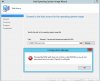
Good evening . I need your urgent help I trying to deploy Windows 7 using SCCM but I stuck in a step and can not go ahead. As per this link Instruction http://prajwaldesai.com/capture-windows-7-using-sccm-2012-r2/ I am completed all the steps but stuck here. Please find the attached error.
We will first create a task sequence media and create a capture media which is in saved .iso format. This .iso file contains the necessary files and instructions to capture a reference operating system. The same .iso file captures the operating system and stores the captured OS in .wim format. Once we get the .wim file we will import the file to SCCM 2012 R2 and we can use this .wim to deploy this OS to another computer either by using SCCM or WDS.
We will first create a task sequence media and create a capture media which is in saved .iso format. This .iso file contains the necessary files and instructions to capture a reference operating system. The same .iso file captures the operating system and stores the captured OS in .wim format. Once we get the .wim file we will import the file to SCCM 2012 R2 and we can use this .wim to deploy this OS to another computer either by using SCCM or WDS.