Forums on Intune, SCCM, and Windows 11

Welcome to the forums. Register a free account today to become a member! Once signed in, you'll be able to participate on this site by adding your topics and posts, as well as connect with other members through your own private inbox!

PENDING The Software Center takes several days to display the applications in the store.

  • Thread starter Thread starter YSSN
  • Start date Start date
  • Replies Replies 8
  • Views Views 5K

YSSN

Member
Messages
6
Reaction score
0
Points
1
Hello,
I'm using SCCM Software Center to distribute applications. I'm encountering issue after imaging a PC. I have to wait several days before the applications appear.

Has anyone the same issue ?

Best regards
 
Hello,
I'm using SCCM Software Center to distribute applications. I'm encountering issue after imaging a PC. I have to wait several days before the applications appear.

Has anyone the same issue ?

Best regards
What do the logs say is happening? What trouble shooting have you done? How are the app deployed? How often are the collections update? What is the Collection membership rules?
 
Hello Garth,
Logs : i have 2 warnings on the LocationServices.log :
- Status Agent hasn't been initialized yet. Attempting to create pending event.
- MPLIST requests are throttled for 00:04:11
Apps and rules : The apps are deployed on demand for all systems
I directly pushed an application into the pc, and I can see it getting installed on the Software Center.


Ps : The PC is located at another site, and the site has a distribution point. On the primary site after mastering PC, the apps appears immediately.
 
Check PolicyAgent.log & AppDiscovery.log on one affected client machine and let us know if there is any error.
 
Hi,
On the PolicyAgent.log i have this messaege :
[Assignment Request] Assignments request for Machine TEST completed with status 0x8000000A
i didn't see any message wrong on the AppDiscovery.log
 
Hi,
On the PolicyAgent.log i have this messaege :
[Assignment Request] Assignments request for Machine TEST completed with status 0x8000000A
i didn't see any message wrong on the AppDiscovery.log
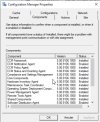
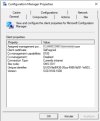
Can you please share with us a screenshot of the following tabs from Control Panel > Configuration Manager:
  • General
  • Components
  • Actions
 
Can you please share with us a screenshot of the following tabs from Control Panel > Configuration Manager:
  • General
  • Components
  • Actions
it's look ok
 

Attachments

  • action.jpg
    action.jpg
    73.5 KB · Views: 9
  • components.jpg
    components.jpg
    107.3 KB · Views: 9
  • generalB.jpg
    generalB.jpg
    64.5 KB · Views: 5
Just to clarify. Apps on demand appears after master, but the apps pushed automatically take several times, i ve got the logs all logs but i don't see what is the problem.
in cas.log i have this message :

GetSWDistSiteSettings failed with 0x80004005. Default site settings will be used.

GetLogonUserSid failed at GetTokenSids 0x800703f0

SuperPeer: ConfigChange - failed to read PeerSource value from registry, Error code 0x80070002
 
Back
Top