

awachens
Well-Known Member
- Messages
- 65
- Solutions
- 6
- Reaction score
- 1
- Points
- 8
Hi all!
I deployed TS to few devices as available and nobody see the TS at SC.
How can i troubleshoot this?
I saw the policy at policyspy:
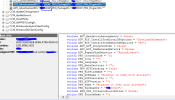
Why is not showing at SC?
What more can i try?
EDIT:
The policy is applying correctly:
Raising event:
instance of CCM_PolicyAgent_PolicyEvaluationComplete
{
ClientID = "GUID:XXX53AEB-BFB9-479B-XXX0-068A2EF58B45";
DateTime = "20230307100444.503000+000";
PolicyNamespace = "\\\\.\\ROOT\\ccm\\policy\\Machine\\RequestedConfig";
PolicyPath = "CCM_Policy_Policy5.PolicyID=\"CAR202AE-XXX00323-6F6BCC28\",PolicyVersion=\"2.00\",PolicySource=\"SMS:XXX\"";
ProcessID = 10208;
ThreadID = 7432;
};
PolicyAgent 07/03/2023 11:04:44 7432 (0x1D08)
STATUS Message:
e recibió la implementación "XX202AE" del sitio "XXX".
El cliente pasa los posibles requisitos de plataforma admitidos y Configuration Manager agregará el programa de la implementación a la lista que se mostrará a los usuarios o se ejecutará mediante asignación. Si se recibe una implementación pero no se muestra en un cliente, compruebe que la hora actual en el cliente está entre dentro de la horas de inicio y caducidad de la implementación, y que el programa especificado en la implementación está habilitado.
EDIT2: Sorry... Im blind.. If another person have the same problem (blind) this is the solution. Review if all tabs are showed in SC. Normally we disable the operating system at software center and then we can't see the TS Operating System at SC.
You can check it at Administration - Client Settings - Default Client Settings (my scenario) - Software enter - Customize - Tabs
Thanks a lot!
I deployed TS to few devices as available and nobody see the TS at SC.
How can i troubleshoot this?
I saw the policy at policyspy:
Why is not showing at SC?
What more can i try?
EDIT:
The policy is applying correctly:
Raising event:
instance of CCM_PolicyAgent_PolicyEvaluationComplete
{
ClientID = "GUID:XXX53AEB-BFB9-479B-XXX0-068A2EF58B45";
DateTime = "20230307100444.503000+000";
PolicyNamespace = "\\\\.\\ROOT\\ccm\\policy\\Machine\\RequestedConfig";
PolicyPath = "CCM_Policy_Policy5.PolicyID=\"CAR202AE-XXX00323-6F6BCC28\",PolicyVersion=\"2.00\",PolicySource=\"SMS:XXX\"";
ProcessID = 10208;
ThreadID = 7432;
};
PolicyAgent 07/03/2023 11:04:44 7432 (0x1D08)
STATUS Message:
e recibió la implementación "XX202AE" del sitio "XXX".
El cliente pasa los posibles requisitos de plataforma admitidos y Configuration Manager agregará el programa de la implementación a la lista que se mostrará a los usuarios o se ejecutará mediante asignación. Si se recibe una implementación pero no se muestra en un cliente, compruebe que la hora actual en el cliente está entre dentro de la horas de inicio y caducidad de la implementación, y que el programa especificado en la implementación está habilitado.
EDIT2: Sorry... Im blind.. If another person have the same problem (blind) this is the solution. Review if all tabs are showed in SC. Normally we disable the operating system at software center and then we can't see the TS Operating System at SC.
You can check it at Administration - Client Settings - Default Client Settings (my scenario) - Software enter - Customize - Tabs
Thanks a lot!
Last edited:


