

bojandz
New Member
- Messages
- 3
- Reaction score
- 1
- Points
- 3
We are having issues with the deployment of apps installations during a Build and Capture TS in my SCCM CB 2006 environment. Packages are installing correctly. Otherwise, during the OS reinstallation TSs (when the computer is domain joined) the same applications installing correctly.
It began when we configured Cloud Management Gateway on SCCM primary site.
In TS monitoring status, TS fails with error 0x87d00269
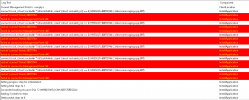
In smsts.log file appears these errors:
socket 'connect' failed; 8007274d
Failed to connect to Management Point :80
connect (sock, (struct sockaddr *) &SockAddrIn, sizeof (struct sockaddr_in)) == 0, HRESULT=8007274d (..\libsmsmessaging.cpp,897)
socket 'connect' failed; 8007274d
Failed to connect to Management Point :443
Failed to run the last action: Install Applications. Result -2016411031. Execution of task sequence failed.
Task sequence execution failed with error code 80004005
Lately we have configured Cloud Management Gateway and it works fine. While the computers are not Azure AD joined, we had to configure HTTPS on Mangement Point. PKI client certificates are used. Before that HTTP was configured on MP. On DPs are still configured HTTP.
We checked during client installation SMSMP property is used correctly.
It began when we configured Cloud Management Gateway on SCCM primary site.
In TS monitoring status, TS fails with error 0x87d00269
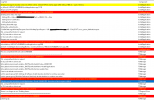
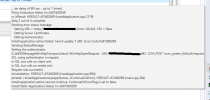
In smsts.log file appears these errors:
socket 'connect' failed; 8007274d
Failed to connect to Management Point :80
connect (sock, (struct sockaddr *) &SockAddrIn, sizeof (struct sockaddr_in)) == 0, HRESULT=8007274d (..\libsmsmessaging.cpp,897)
socket 'connect' failed; 8007274d
Failed to connect to Management Point :443
Failed to run the last action: Install Applications. Result -2016411031. Execution of task sequence failed.
Task sequence execution failed with error code 80004005
Lately we have configured Cloud Management Gateway and it works fine. While the computers are not Azure AD joined, we had to configure HTTPS on Mangement Point. PKI client certificates are used. Before that HTTP was configured on MP. On DPs are still configured HTTP.
We checked during client installation SMSMP property is used correctly.
