Forums on Intune, SCCM, and Windows 11

Welcome to the forums. Register a free account today to become a member! Once signed in, you'll be able to participate on this site by adding your topics and posts, as well as connect with other members through your own private inbox!

PENDING Task Sequence Failed with the Error Code 0x80070002

Alta87689

Member
Messages
5
Reaction score
0
Points
1
Hi,

I"m on SCCM 2012 and my OSD keeps failing on Dell Vostro 3360 & HP dc5800.
My OSD is failing with 0x80070002 when Setup Windows and ConfigMgr is busy. After this i have a restart computer task.
Second problem, the image is installing on D: Drive

I've tried various remedies:
download latest driver and add the network drivers to boot images
check a the driver packages
empy network access account restart server and add new account with domain admin rights
Verify that the network access account works and is valid

OSDPreserveDriveLetter is set to FALSE

Any suggestions how to move forward?
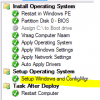
upload_2015-12-8_16-37-20.png
 
Thanks, now the task seq. install the OS on drive C

Now it's connection successfully to the drivers location, but now I get error 0x80072EE7. After I check the log I give the sccm account full control on all sources. re-run the task sequence and still getting error 0x80072EE7

Here a preview from the ccmlog. I'm getting now an apipa adres 169.254 again. administrator have domain admin right.

Wich logs more can I look for?

Where do I fount ccmsetup.log

Different drivers fails to import. How to troubleshoot that ?
upload_2015-12-14_14-0-24.png
 
Hi, I configured manually ip addres and either no go . See below screen shot. Hope you can help me. We have D-Link core switch (RSTP disabled) and HP switch (I did not check yet but rstp is disabled.

It fail when contacting the server for the driver,see below screenshots. I downloaded de official driver cabs. There were imported successfully. The old driver that are working for the old ghost image environment is also added now to the driver package.

How you can help me. I'm getting now an apipa adres 169.254 again

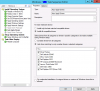
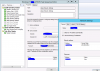
upload_2015-12-16_13-2-53.png

upload_2015-12-16_13-4-29.png

upload_2015-12-16_12-58-32.png
 
Wich option is the best to use ?

see below comment I found:
Have you tried having your Driver Packages applied individually and adding a rule for each to only run when the hardware model matches the model being imaged? All my drivers are applied individually (per model) and it seems to work better by limiting driver conflict, as it is very possible there is another driver binary with the same name causing confusion...

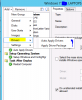
upload_2015-12-16_14-58-47.png
 

Attachments

  • upload_2015-12-16_14-58-33.png
    upload_2015-12-16_14-58-33.png
    25.4 KB · Views: 1
Wich option is the best to use ?

see below comment I found:
Have you tried having your Driver Packages applied individually and adding a rule for each to only run when the hardware model matches the model being imaged? All my drivers are applied individually (per model) and it seems to work better by limiting driver conflict, as it is very possible there is another driver binary with the same name causing confusion...

When we run ipconfig /renew when we lost ip during the osd task sequence it continues installing the drive correct.
I enabled stp on the hp switch but still same problem

upload_2015-12-17_12-42-30.png

upload_2015-12-17_12-42-47.png


View attachment 221
 

Attachments

  • stp.JPG
    stp.JPG
    117 KB · Views: 0
  • upload_2015-12-17_12-41-44.png
    upload_2015-12-17_12-41-44.png
    69.8 KB · Views: 1

Forum statistics

Threads
7,132
Messages
27,852
Members
18,148
Latest member
therealLawrence
Back
Top