Forums on Intune, SCCM, and Windows 11

Welcome to the forums. Register a free account today to become a member! Once signed in, you'll be able to participate on this site by adding your topics and posts, as well as connect with other members through your own private inbox!

SOLVED Task Sequence error code 0x8007052E

Status
Not open for further replies.

NB1

New Member
Messages
1
Reaction score
0
Points
1
Hello,
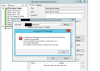
Since upgrading from SCCM 2012 sp1 r2 cu1 to 1511 I have been unable to get pcs to join my domain during the task sequence. I have both edited and created new sequences and I am getting the same error in both. When clicking Test Connection whilst setting an account for joining the domain I get successfully verified. If you click ok, ok and apply and then revisit the page the password appears many characters longer and the error occurs. Thumbnail attached.
I have tried different combinations of saving the password and not verifying for example with no luck.
Any help would be appreciated.
NB1
 

Attachments

  • error.png
    error.png
    41.3 KB · Views: 87
I had heard about this issue in SCCM 2012 where the domain and account information in the task sequence(s) is not saved. What you can try is re-entering the network access account and verify the password once. Post then the TS shouldn't throw the above error.
 
Hi, I have seen this when the task sequence contains the 'Apply Windows Settings' and the radio button for 'Randomly generate the local administrator password and disable the account on all supported platforms (recommended)', is set when it should be 'Enable the account and specify the local administrator password' when in a domain environment. I saw this today. SCCM 2012 SP1 CU3.

I accidentally clicked inside the TS editing panel and didn't notice it reset this switch. The next TS OSD failed with exact error mentioned. Returning this to the 'Enable the account....' radio button setting resolved this error for me.

hope it helps.
Sterling.
 
Hi, I have seen this when the task sequence contains the 'Apply Windows Settings' and the radio button for 'Randomly generate the local administrator password and disable the account on all supported platforms (recommended)', is set when it should be 'Enable the account and specify the local administrator password' when in a domain environment. I saw this today. SCCM 2012 SP1 CU3.

I accidentally clicked inside the TS editing panel and didn't notice it reset this switch. The next TS OSD failed with exact error mentioned. Returning this to the 'Enable the account....' radio button setting resolved this error for me.

hope it helps.
Sterling.

Edit: Seems i now have an intermittent problem with this error and my first solution was a furfy. I don't have this error generated on previous models. Today i added a driver package and this has started to appear. Same task sequence on all other models is fine and completes. I don't believe they are related.
 
I have resolved my 8007052E error. My TS was faulting at the Apply Network Settings step. The NIC driver for the OS was not being installed due to a mis-typed WMIC modelname when filtering for Driver packages. The NIC was not being installed, TS was unable to communicate with the SCCM server and TS terminates with the mentioned error. Correcting this model name variable enabled the correct driver package to be found, correct NIC driver to be installed and my TS proceeded as normal.

Also when testing the Apply Network Settings account connection - only test it once. If you get a valid connection test, do not run the test again as it will fail and so will your task sequence.

These 2 issues caused this error to be produced in my environment.

I hope this assists.
Sterling.
 
Status
Not open for further replies.

Forum statistics

Threads
7,136
Messages
27,873
Members
18,159
Latest member
jordysmits
Back
Top