

- Messages
- 321
- Solutions
- 4
- Reaction score
- 58
- Points
- 28
Recently we faced issue in one of my customer's server patching, After patch installation and reboot completion but still server was showing as pending system restart. When we checked the logs and we found error 80070005. I was just digging on the base for solution , finally it's done .. I am attaching steps to resolve the issue
- Copy the SCCM client to server where issue is ther
- Open the command prompt with administrator and go to the path of SCCM Client folder
- CCMSETUP.exe /uninstall (Run the SCCM Client uninstall command)
- After uninstall of SCCM client, Delete the SMSCFG.INI file from C:\Windows\
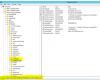
- Rename the SCCM Client related files in Regedit, It will be placed in path “HKEY_LOCAL_MACHINE\SOFTWARE\Microsoft”a>HKEY_LOCAL_MACHINE\SOFTWARE\Microsoft\CCMSetup-old (I would recommend to take back up of reg )
- POST uninstallation of SCCM Client install the SCCM Client from SCCM Client push method.


