Morning All,
We've changed our HRIS system recently. I've placed the new shortcut on the desktop and now we're ready to remove the old and now dead shortcut.
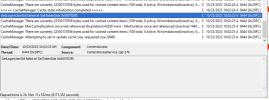
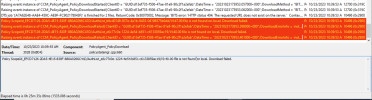
I put a task sequence together to remove the old lnk file, which wouldn't work... so after numerous prodding i've just created a simple txt file in a folder and made a TS to delete that file, and still no go. it's just stuck on "Installing" within software center.
1. Task sequence > Run Command line
Tried the following
- cmd /c del /q /f c:\temp\test.txt
- cmd /c del /q c:\temp\test.txt
2. i've been able to successfully delete the files within a command prompt window (admin and non admin)
3. tried powershell as well using
- remove-item "C:\temp\test.txt"
- ran this via bypass
I feel like this previously has worked, so i'm not sure what is going on at the moment.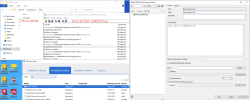
We've changed our HRIS system recently. I've placed the new shortcut on the desktop and now we're ready to remove the old and now dead shortcut.
I put a task sequence together to remove the old lnk file, which wouldn't work... so after numerous prodding i've just created a simple txt file in a folder and made a TS to delete that file, and still no go. it's just stuck on "Installing" within software center.
1. Task sequence > Run Command line
Tried the following
- cmd /c del /q /f c:\temp\test.txt
- cmd /c del /q c:\temp\test.txt
2. i've been able to successfully delete the files within a command prompt window (admin and non admin)
3. tried powershell as well using
- remove-item "C:\temp\test.txt"
- ran this via bypass
I feel like this previously has worked, so i'm not sure what is going on at the moment.