GiridharRB
Member
- Messages
- 10
- Reaction score
- 1
- Points
- 3
Reports URL's are working in Sql server but not in SCCM and i try to uninstall, reinstall SSRS in SQL sever and as well as RSP in Sccm.
please help me.
please help me.
yes both ports open, I cant access website remotely.Is the firewall post 80 and 443 open? Can you access the SSRS website remotely?
So.. there is a conflict in what you are saying and showing. You say that SSRS is working and the the firewall ports are open BUT the component is saying that the service is stopped, both can't be right. is there a difference in time between these events?This is status messages "The report server service is not running on Reporting Service Point server "SQL Server"; start the service to enable reporting."
So.. there is a conflict in what you are saying and showing. You say that SSRS is working and the the firewall ports are open BUT the component is saying that the service is stopped, both can't be right. is there a difference in time between these events?
Just to confirm you are browsing FPRMCMSQL for SSRS aka http://FPRMCMSQL/reports? right?
You see all the CM reports on the SSRS website?
Have you rebooted FPRMCMSQL?
Sorry I though that it said CAN access. Then this really is going to the the service. Make sure that it is started.yes both ports open, I cant access website remotely.
This then says that their is a firewall issue, turn off the firewall and access the report remotely, Does it work?yes I rebooted the FPPMCMSQL, and i can able view reports only in SQL Server, but i cant access from Sccm Console the http://FPRMCMSQL/reports? and Reports
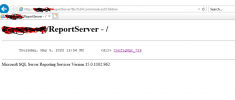
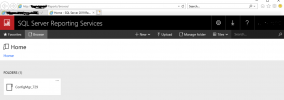
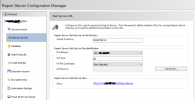
Did you check DNS, or the Firewall or use the IP address instead of the netbios name to access SSRs?Below screenshots are from sql server:View attachment 4560
View attachment 4562
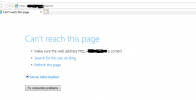
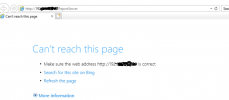
In Sccm console when i click URL : can't not reach the page:
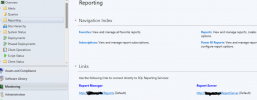
View attachment 4563
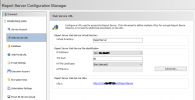
View attachment 4564
its not working with IP address in sql serverWhen you click the lick that is shown within the screenshot with the IP does it work?
It is time for you to contact MS support. They can work with to solve this.its not working with IP address in sql server