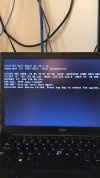
I think you must review the logs and also make sure the PXE role is repaired once. If you are using the 2403 version, there have been some PXE issues lately -
https://forums.prajwaldesai.com/threads/pxe-boot-not-working-after-2403-update.6700/
I found the log I was seeing all the errors in, see below. Additionally, I'm on 2309. I'm looking at what I need to do to repair the PXE role now, thanks.
======>Begin Processing request: "16817772", machine name: "CFS-7N1KCK3" $$<SMS_CLIENT_CONFIG_MANAGER><08-28-2024 08:52:32.269+300><thread=15764 (0x3D94)>
Execute query exec [sp_IsMPAvailable] N'STL'~ $$<SMS_CLIENT_CONFIG_MANAGER><08-28-2024 08:52:32.271+300><thread=15764 (0x3D94)>
---> Trying each entry in the SMS Client Remote Installation account list~ $$<SMS_CLIENT_CONFIG_MANAGER><08-28-2024 08:52:32.273+300><thread=15764 (0x3D94)>
---> Attempting to connect to administrative share '\\CFS-7N1KCK3.ds.slu.edu\admin$' using account 'slu\configmgrclipush2'~ $$<SMS_CLIENT_CONFIG_MANAGER><08-28-2024 08:52:32.274+300><thread=15764 (0x3D94)>
---> WNetAddConnection2 failed (LOGON32_LOGON_NEW_CREDENTIALS) using account slu\configmgrclipush2 (00000035) $$<SMS_CLIENT_CONFIG_MANAGER><08-28-2024 08:52:32.294+300><thread=15764 (0x3D94)>
---> The device CFS-7N1KCK3.ds.slu.edu does not exist on the network. Giving up~ $$<SMS_CLIENT_CONFIG_MANAGER><08-28-2024 08:52:32.296+300><thread=15764 (0x3D94)>
---> Trying each entry in the SMS Client Remote Installation account list~ $$<SMS_CLIENT_CONFIG_MANAGER><08-28-2024 08:52:32.298+300><thread=15764 (0x3D94)>
---> Attempting to connect to administrative share '\\CFS-7N1KCK3\admin$' using account 'slu\configmgrclipush2'~ $$<SMS_CLIENT_CONFIG_MANAGER><08-28-2024 08:52:32.299+300><thread=15764 (0x3D94)>
---> WNetAddConnection2 failed (LOGON32_LOGON_NEW_CREDENTIALS) using account slu\configmgrclipush2 (00000040) $$<SMS_CLIENT_CONFIG_MANAGER><08-28-2024 08:52:33.003+300><thread=2232 (0x8B8)>
---> Attempting to connect to administrative share '\\RES-ISE-HVBBHG3.ds.slu.edu\admin$' using machine account.~ $$<SMS_CLIENT_CONFIG_MANAGER><08-28-2024 08:52:33.006+300><thread=2232 (0x8B8)>
---> WNetAddConnection2 failed (LOGON32_LOGON_NEW_CREDENTIALS) using account slu\configmgrclipush2 (00000035) $$<SMS_CLIENT_CONFIG_MANAGER><08-28-2024 08:52:33.626+300><thread=13704 (0x3588)>
---> The device MLIB-PUB-C0002 does not exist on the network. Giving up~ $$<SMS_CLIENT_CONFIG_MANAGER><08-28-2024 08:52:33.629+300><thread=13704 (0x3588)>
---> ERROR: Unable to access target machine for request: "16817676", machine name: "MLIB-PUB-C0002", access denied or invalid network path. $$<SMS_CLIENT_CONFIG_MANAGER><08-28-2024 08:52:33.630+300><thread=13704 (0x3588)>
Execute query exec [sp_CP_SetLastErrorCode] 16817676, 53~ $$<SMS_CLIENT_CONFIG_MANAGER><08-28-2024 08:52:33.632+300><thread=13704 (0x3588)>
Stored request "16817676", machine name "MLIB-PUB-C0002", in queue "Retry". $$<SMS_CLIENT_CONFIG_MANAGER><08-28-2024 08:52:33.637+300><thread=13704 (0x3588)>
Execute query exec [sp_CP_SetPushRequestMachineStatus] 16817676, 2~ $$<SMS_CLIENT_CONFIG_MANAGER><08-28-2024 08:52:33.638+300><thread=13704 (0x3588)>
Execute query exec [sp_CP_SetLatest] 16817676, N'08/28/2024 13:52:33', 59~ $$<SMS_CLIENT_CONFIG_MANAGER><08-28-2024 08:52:33.642+300><thread=13704 (0x3588)>
<======End request: "16817676", machine name: "MLIB-PUB-C0002". $$<SMS_CLIENT_CONFIG_MANAGER><08-28-2024 08:52:33.646+300><thread=13704 (0x3588)>
Submitted request successfully $$<SMS_CLIENT_CONFIG_MANAGER><08-28-2024 08:52:34.270+300><thread=16888 (0x41F8)>
Getting a new request from queue "Retry" after 100 millisecond delay. $$<SMS_CLIENT_CONFIG_MANAGER><08-28-2024 08:52:34.272+300><thread=16888 (0x41F8)>
Found CCR "16817845.ccr" in queue "Retry". $$<SMS_CLIENT_CONFIG_MANAGER><08-28-2024 08:52:34.273+300><thread=16888 (0x41F8)>
Execute query exec [sp_CP_GetPushRequestMachine] 16817845~ $$<SMS_CLIENT_CONFIG_MANAGER><08-28-2024 08:52:34.376+300><thread=16888 (0x41F8)>
Successfully retrieved information for machine MLIB-PUB-C0008 from DB $$<SMS_CLIENT_CONFIG_MANAGER><08-28-2024 08:52:34.378+300><thread=16888 (0x41F8)>
Execute query exec [sp_CP_GetPushRequestMachineIP] 16817845~ $$<SMS_CLIENT_CONFIG_MANAGER><08-28-2024 08:52:34.380+300><thread=16888 (0x41F8)>
Execute query exec [sp_CP_GetPushRequestMachineResource] 16817845~ $$<SMS_CLIENT_CONFIG_MANAGER><08-28-2024 08:52:34.381+300><thread=16888 (0x41F8)>
Execute query exec [sp_CP_GetPushMachineName] 16817845~ $$<SMS_CLIENT_CONFIG_MANAGER><08-28-2024 08:52:34.384+300><thread=16888 (0x41F8)>
Received request: "16817845" for machine name: "MLIB-PUB-C0008" on queue: "Retry". $$<SMS_CLIENT_CONFIG_MANAGER><08-28-2024 08:52:34.386+300><thread=16888 (0x41F8)>
Stored request "16817845", machine name "MLIB-PUB-C0008", in queue "Processing". $$<SMS_CLIENT_CONFIG_MANAGER><08-28-2024 08:52:34.388+300><thread=16888 (0x41F8)>
Execute query exec [sp_CP_SetPushRequestMachineStatus] 16817845, 1~ $$<SMS_CLIENT_CONFIG_MANAGER><08-28-2024 08:52:34.390+300><thread=16888 (0x41F8)>
======>Begin Processing request: "16817845", machine name: "MLIB-PUB-C0008" $$<SMS_CLIENT_CONFIG_MANAGER><08-28-2024 08:52:34.394+300><thread=13704 (0x3588)>
Execute query exec [sp_IsMPAvailable] N'STL'~ $$<SMS_CLIENT_CONFIG_MANAGER><08-28-2024 08:52:34.396+300><thread=13704 (0x3588)>
---> Trying each entry in the SMS Client Remote Installation account list~ $$<SMS_CLIENT_CONFIG_MANAGER><08-28-2024 08:52:34.397+300><thread=13704 (0x3588)>
---> Attempting to connect to administrative share '\\MLIB-PUB-C0008.ds.slu.edu\admin$' using account 'slu\configmgrclipush2'~ $$<SMS_CLIENT_CONFIG_MANAGER><08-28-2024 08:52:34.399+300><thread=13704 (0x3588)>
---> WNetAddConnection2 failed (LOGON32_LOGON_NEW_CREDENTIALS) using account slu\configmgrclipush2 (00000035) $$<SMS_CLIENT_CONFIG_MANAGER><08-28-2024 08:52:34.420+300><thread=13704 (0x3588)>
---> The device MLIB-PUB-C0008.ds.slu.edu does not exist on the network. Giving up~ $$<SMS_CLIENT_CONFIG_MANAGER><08-28-2024 08:52:34.428+300><thread=13704 (0x3588)>
---> Trying each entry in the SMS Client Remote Installation account list~ $$<SMS_CLIENT_CONFIG_MANAGER><08-28-2024 08:52:34.429+300><thread=13704 (0x3588)>
---> Attempting to connect to administrative share '\\MLIB-PUB-C0008\admin$' using account 'slu\configmgrclipush2'~ $$<SMS_CLIENT_CONFIG_MANAGER><08-28-2024 08:52:34.430+300><thread=13704 (0x3588)>