Forums on Intune, SCCM, and Windows 11

Welcome to the forums. Register a free account today to become a member! Once signed in, you'll be able to participate on this site by adding your topics and posts, as well as connect with other members through your own private inbox!

SOLVED SCCM Onedrive Report

Status
Not open for further replies.
Messages
15
Reaction score
0
Points
1
Can some one please help to get SCCM Query regarding One drive versions installed at user laptops.

I tried several method and scripts but no result. any quick help would be appreciated. thanks.
 
we need the version of one drive being used across in our organisation in all laptops & desktops along with the computer names etc. as builtin report is not helping much
ok, I will bite, why doesn't the builtin report help with this?
 
my requirement is, i need the computer name and one driver version 19.002.0107.0008 installed on that computer in our network if it is possible with the builtin report kindly let me know how to get that report i will be very happy ---thanks Prajwal Bhai
 
What is wrong with Count of all instances of software registered with Add or Remove Programs? then you can drill thought to get the list of comptuers.
 
my requirement is, i need the computer name and one driver version 19.002.0107.0008 installed on that computer in our network if it is possible with the builtin report kindly let me know how to get that report i will be very happy ---thanks Prajwal Bhai
Will this help ?

1763
 
Run the below report. Enter the product name and it will find all the versions installed. Now look at product version and click on the software in the bottom pane. That should show all the computers with that version of software installed.

1764

If the goal is to find the computers with old version of onedrive and upgrade it, you can also create a device collection, use a query to find the onedrive version and deploy the updates to that collection.
 
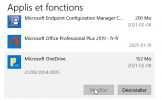
I have look the reports suggested. I can find the version and/or the version of Onedrive install. Here is the add/remove program picture of my computer.

1612814677810.png

and one of the report suggested.
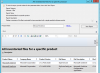
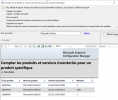
1612814835174.png

What am i doing wrong here?

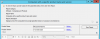
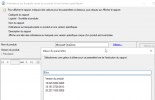
1612814967583.png
Only around one thousand are inventoried from the picture above. We know that Onedrive is installed on more than 10 thousand computer.

What is our mistake?

Thanks.
 
I have look the reports suggested. I can find the version and/or the version of Onedrive install. Here is the add/remove program picture of my computer.

View attachment 3385

and one of the report suggested.
View attachment 3386

What am i doing wrong here?

View attachment 3387
Only around one thousand are inventoried from the picture above. We know that Onedrive is installed on more than 10 thousand computer.

What is our mistake?

Thanks.
You are looking SW inventory report NOT an ARP Reporting. in screenshot #2 & #3

If you want to use ARP you need the report that say ARP. Also keep in mind that if OneDrive is installed as a user you will need a 3rd party tool in order to collect the inventory first.
 
You are looking SW inventory report NOT an ARP Reporting. in screenshot #2 & #3

If you want to use ARP you need the report that say ARP. Also keep in mind that if OneDrive is installed as a user you will need a 3rd party tool in order to collect the inventory first.
Thank you so much.

I'll take a look at your suggestions.

Kind regards.
 
Status
Not open for further replies.

Forum statistics

Threads
7,133
Messages
27,858
Members
18,151
Latest member
TonyGTR
Back
Top