Forums on Intune, SCCM, and Windows 11

Welcome to the forums. Register a free account today to become a member! Once signed in, you'll be able to participate on this site by adding your topics and posts, as well as connect with other members through your own private inbox!

SOLVED SCCM ERROR 0XC1900208 DEPLOYING WINDOWS 10 1803

  • Thread starter Thread starter Sokoban
  • Start date Start date
  • Replies Replies 3
  • Views Views 24K
Status
Not open for further replies.

Sokoban

Well-Known Member
Messages
102
Reaction score
7
Points
18
Hi
I have send a software packet to a Windows 10 , 1709 Client and I have problem to update to 1803, error 0xC1900208(-1047526904)
When I trying to retry again I got the error 0x80240020(-2145124320)

I have done the following,
* Delete all the files and folders inside the %WinDir%\SoftwareDistribution\Download” and/or %SystemDrive%\$Windows.~BT folder.
* Mcafee antivirus is disabled

Anyone know a solution to fix that ?

Sokoban
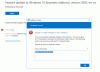
 

Attachments

  • Update error.GIF
    Update error.GIF
    28.1 KB · Views: 18
Additional info ,

I find that
0x80240020(-2145124320) SUS_E_NO_INTERACTIVE_USER interactive user is missing to finish the operation

// Sokoban
 
Error 0xC1900208 - This could indicate that an incompatible app installed on your PC is blocking the upgrade process from completing. Check to make sure that any incompatible apps are uninstalled and then try upgrading again.
Step 1 - Launch setup.exe from the C:\$WINDOWS.~BT directory.
Step 2 - The screen should now show any incompatible apps that prevent upgrade.

Alternate method - If you cannot run the setup from C:\$Windows.~BT dir, look for the log file under C:\$WINDOWS.~BT\Sources\Panther\CompatData[date-time].xml. Examine Compatdata.xml files to see what's throwing the error.
 
Status
Not open for further replies.

Forum statistics

Threads
7,157
Messages
27,935
Members
18,237
Latest member
Causal

Latest posts

Back
Top