Forums on Intune, SCCM, and Windows 11

Welcome to the forums. Register a free account today to become a member! Once signed in, you'll be able to participate on this site by adding your topics and posts, as well as connect with other members through your own private inbox!

SOLVED sccm does not show upgrade updates

  • Thread starter Thread starter DCC
  • Start date Start date
  • Replies Replies 4
  • Views Views 2K
Status
Not open for further replies.

DCC

New Member
Messages
3
Reaction score
0
Points
1
Hello,
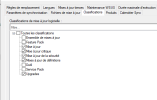
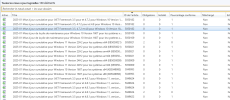
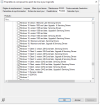
I am currently trying to make sccm and wsus work, problem I tested to deploy updates it worked but I wanted to add the upgrade updates and impossible to download them nothing is displayed in sccm also I looked at the logs no error. When I launch a manual synchronization it downloads all the other updates except the upgrades.
Does anyone have an idea thank you

 

Attachments

  • image1.PNG
    image1.PNG
    26.8 KB · Views: 8
  • image2.PNG
    image2.PNG
    19.1 KB · Views: 8
  • image3.PNG
    image3.PNG
    83.5 KB · Views: 7
  • image4.PNG
    image4.PNG
    23.3 KB · Views: 9
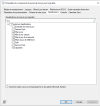
Have you enabled the 'Upgrades' classification in the SUP Properties?
Yes, they are added (see screenshot), but during the first installation of sccm and wsus and I had not put the upgrade updates, it is later that I added the upgrade updates. But they do not appear
 

Attachments

  • image5.PNG
    image5.PNG
    45.8 KB · Views: 10
  • image6.PNG
    image6.PNG
    22.6 KB · Views: 10
Yes, they are added (see screenshot), but during the first installation of sccm and wsus and I had not put the upgrade updates, it is later that I added the upgrade updates. But they do not appear
After making the changes to SUP, have you ran software update sync?
 
Status
Not open for further replies.
Back
Top