Forums on Intune, SCCM, and Windows 11

Welcome to the forums. Register a free account today to become a member! Once signed in, you'll be able to participate on this site by adding your topics and posts, as well as connect with other members through your own private inbox!

PENDING SCCM Deployment of Windows 10: Error Code 0xc000000f

  • Thread starter Thread starter TOTO JDD
  • Start date Start date
  • Replies Replies 5
  • Views Views 14K

TOTO JDD

Well-Known Member
Messages
46
Reaction score
5
Points
8
Hello,

I just configured a SCCM 1710 server to deploy Windows 10 with MDT integration.

  1. Here are the configurations made on the SCCM server

  • Import the OS image (.WIM file) into the SCCM console and its distribution on the distribution point.

  • Distribution of default boot images (x64 and x86) on DP

  • Enable PXE support for clients (unknown computer support) in the DP property box

  • Create TS in SCCM with "Create MDT Task sequence", publish the TS at the distribution point, deploy the TS on the collection of unknown computers

2. Enable DHCP Options (066 SCCM Server FQDN Boot Server Hostname and 067 Boot file name \ SMSboot \ x64 \ wdsmgfw.efi)

3. I booted a new computer in PXE and got the following message:

Windows Deployment Services encountered an error:

Error Code: 0xc000000f

OSD erreur client2.PNG

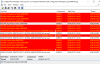
4. This is the SMSPXE.log file

OSD erreur.PNG

How to fix this error?
 

Attachments

  • OSD erreur.PNG
    OSD erreur.PNG
    51.5 KB · Views: 13
Hello,
Does somebody have an orientation to solve this problem? SCCM OSD Windows 10 with MDT integration return an error as you can see above.

Cordialy, ...
 
In another forum offers not to set the options 66 and 67 DHCP and make an IP helper from the client network to the PXE server and an IP helper from the client network to the DHCP server.
If you have got a single VLAN with just one DHCP server, you need not configure option 66,67 and no OP helper address is required. If you have multiple VLAN's you can either use DHCP options or use IP helper address instead that points to your WDS server.
 
Hello,

Finally I managed to start the PXE and execute my task sequence successfully.

The problem was because the distribution point and the management point were configured to use https but it was the self signed certificate that was configured on the distribution point. As expected, the HKLM\Software\Microsoft\SMS\DP | ManagementPoints value is empty. This registry key would need to have a value like https://ServerName.DomainName

[HKEY_LOCAL_MACHINE\SOFTWARE\Microsoft\SMS\DP]
AlgID = 26115
BindExcept =

ManagementPoints =


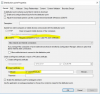
To resolve this problem, I correctly configure the distribution point with the PKI certificate
PKI pour DP.PNG
Before testing the deployment, I was reassured that the client computer does not exist in the sccm console as the deployment of the task sequence was done on the collection All unknown computers.

Please find the procedures I used for the KPI certificate through these links:


Thank you all for your guidance.
 

Forum statistics

Threads
7,157
Messages
27,935
Members
18,237
Latest member
Causal

Latest posts

Back
Top