Forums on Intune, SCCM, and Windows 11

Welcome to the forums. Register a free account today to become a member! Once signed in, you'll be able to participate on this site by adding your topics and posts, as well as connect with other members through your own private inbox!

PENDING SCCM Client lists wrong management point

  • Thread starter Thread starter njacobe
  • Start date Start date
  • Replies Replies 13
  • Views Views 12K

njacobe

Member
Messages
13
Reaction score
0
Points
1
Hello,

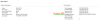
This is such a great forum and site I figured I would give you all a shot at helping out. We are a new district to SCCM. It's been running for about 6 months or so. Something that I am having an issue with is the client computers are listing a DP that is NOT a management point. So they are not communicating back to the actual MP and are showing inactive or offline.

I am not sure what I can do to get them to point to the actual MP and find out why they are looking at a DP as an MP.

We are a smaller setup, we have 1 MP, and 3 DPs for our off site locations. We have a fiber connection to each site from the main location. The DPs are for local content deployment.

Thanks for your help, its driving me crazy!!!!
 

Attachments

  • Screen Shot 2020-01-23 at 9.56.18 AM.png
    Screen Shot 2020-01-23 at 9.56.18 AM.png
    29.9 KB · Views: 17
  • Screen Shot 2020-01-23 at 9.55.25 AM.png
    Screen Shot 2020-01-23 at 9.55.25 AM.png
    26.4 KB · Views: 21
Hello,

This is such a great forum and site I figured I would give you all a shot at helping out. We are a new district to SCCM. It's been running for about 6 months or so. Something that I am having an issue with is the client computers are listing a DP that is NOT a management point. So they are not communicating back to the actual MP and are showing inactive or offline.

I am not sure what I can do to get them to point to the actual MP and find out why they are looking at a DP as an MP.

We are a smaller setup, we have 1 MP, and 3 DPs for our off site locations. We have a fiber connection to each site from the main location. The DPs are for local content deployment.

Thanks for your help, its driving me crazy!!!!

I should add both computers are on and active. Even thou it says the wrong MP computer is not once for xx days.
 
Does the DP also have a management point role installed on it? I know logically the answer is no, but just thought about verifying it in the settings.

Also how are you installing the client? Have you tried a push install from the console?
 
Does the DP also have a management point role installed on it? I know logically the answer is no, but just thought about verifying it in the settings.

Also how are you installing the client? Have you tried a push install from the console?
Correct it does not have the MP role installed in the DP.
The push is both via the console and automatically by discovery.
 
What happens if you install the client with the MP in the settings?


Use this and fill in the correct information for site code and use the FQDN of the MP?
CCMSetup.exe /mp:SMSMP01 /logon SMSSITECODE=S01 FSP=SMSFSP01

EDIT:
Another thought...is it just this one computer or is it multiple computers?
Is the Client Push Installation Properties set correctly?
 
Last edited:
Yup it’s set correct as described above. It’s strange because if you take 4 computers at a site two will be right two will pick a random DP as an MP. It’s about 500 computers company wide.
 
Probably need to take a look at the logs:
ClientLocation.log and LocationServices.log on the affected client machine.

Also, during the 6 months, was there any rebuild of the system? Asking because we had that problem before because we used to have a CAS with primary and secondary sites and we created a new setup that only has a single primary site. The old CAS setup was in AD still and that drove us nuts as to why we still had clients getting the old site code which was linked to the previous CAS setup. We saw that because of the different site codes.
 
Sorry for the late reply. Thanks for the suggestion. I did view both log files and nothing out of the ordinary. I also checked the system registry on a couple of the affected machines and they have the FQDN of the correct MP listed.

This is a new(ish) install as of October. We never had SCCM installed before then.
 
Which version of SCCM are you on? Any hotfixes available to that version? When installing, was the schema for AD extended?
 
I was hoping to see the actual LocationServices.log...my question would be is that DP listed in the LocationServices.log on BG-SWALSH. Also, on the SCCM server, does Mpcontrol.log have any oddities listing the DP?
 
Sorry! :-)

The log does not list the DP on the client computer. It does confirm the mp
The MP name retrieved is 'SDWD-SCCM.AD.SDWD.K12.WI.US' . The MPControl.log looks normal nothing jumping out lots of successful requests and MP Successfully performed Management Point availability check against local computer.
 
How are these computers subnetted? Are they on the same network? Are the boundaries / boundary groups configured correctly? Any fallback relationships?

All of mine use the boundary group for site assignment. In the site system servers, I have my MP and 2 DPs on the same site.

Strange question...do deployments work targeting the machine that says the DP is the MP?
 

Forum statistics

Threads
7,171
Messages
27,990
Members
18,297
Latest member
Kahnrym

Trending content

Back
Top
