Forums on Intune, SCCM, and Windows 11

Welcome to the forums. Register a free account today to become a member! Once signed in, you'll be able to participate on this site by adding your topics and posts, as well as connect with other members through your own private inbox!

SOLVED SCCM client error There are no certificate(s) that meet the criteria

Andre Cukier

New Member
Messages
2
Reaction score
0
Points
1
Hi all,

I'm trying to install SCCM remotelly, but i'm get this error.
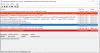
1569593408265.png

Can somebody help me understand what i'm doing wrong on this computer?

Thanks.
 
Because my ccmsetup.log have a lot of errors, i'm selecting the last error from the start and put on a txt.
I will look on the article with similar issue.
PS: Sorry for my bad english.
Thanks
 

Attachments

Before a first check on the logs, I think you have an issue with Certificate authentication between the client and SCCM.
Do you are using PKI with SCCM? If true, ensure that the client has the related computer client certificate to communicating with their MP/DP.
 
*Client is set to use HTTPS when available. The current state is 224.
*The Certificate [Thumbprint 5A66EB5726BBBE7E59520F9C08BCF0663E39904E] issued to 'CWBD643307' doesn't have 'Client Authentication' capability. ccmsetup 27/09/2019 10:49:39 5500 (0x157C)
*The certificate [Thumbprint 5A66EB5726BBBE7E59520F9C08BCF0663E39904E] found using 'CWBD643307.grupomarista.local' as cert name is not valid for ConfigMgr usage. ccmsetup 27/09/2019 10:49:39 5500 (0x157C)
*There are no certificate(s) that meet the criteria. ccmsetup 27/09/2019 10:49:39 5500 (0x157C)
 
you have to add your Root and Intermediate Certificate in SCCM and make sure your certificate template for the client does have Client Authentication purpose.

The setting is under Administration - Site Configuration - Sites - Propertieis - Client Computer Communication.
 

Forum statistics

Threads
7,133
Messages
27,858
Members
18,151
Latest member
TonyGTR
Back
Top