
CM : 2403
We have bitlocker enabled via GPO's, but i'm trying to move away from this as management is asking for some reports that i cannot get, plus i'd like to move everything to SCCM if i can...
Have been trying for awhile to get SCCM to push out bitlocker settings instead of GPO's and am running into a wall.

We have bitlocker enabled via GPO's, but i'm trying to move away from this as management is asking for some reports that i cannot get, plus i'd like to move everything to SCCM if i can...
Have been trying for awhile to get SCCM to push out bitlocker settings instead of GPO's and am running into a wall.
- Fresh image of windows 11 23H2 (although this was happening on a W10 machine as well)
- RDP'd in to get screenshots, other than that, it's been on the domain.
- MP is EHTTP
- IIS Site on MP is HTTPS
- Client is in an OU with no GPO's for BL
- Client is completely decrypted
- Created Policy
- Deployed it to my test collection
- MP created folder G:\SMS_CCM\Microsoft Bitlocker Management Solution
- MP created IIS site SMS_MP_MBAM
- SSL settings defaulted to "Require SSL" and "client certificates > ignore" (keeping this setup for now)
- Client received and installed the MDOP MBAM software
- Client - Manage-bde -status shows fully decrypted, protection off, bitlocker version 2.0
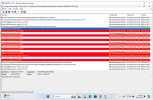
- Client - Bitlockermanagement_grouppolicyhandler.log shows the same "could not check enrollment URL" error
- Client - Policyagentprovider.log does show settings changes right after i created the change
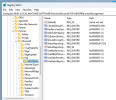
- Client - Regedit under the FVE group doesn't show "KeyRecoveryServiceEndPoint"
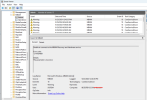
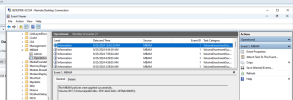
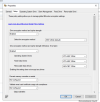
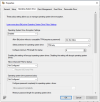
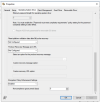
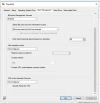
- Screenshots below
- shows all settings HAVE gone down
- Event viewer still showing the error "unable to connect to the MBAM recovery and hardware service"
- Client - can get to the HTTPS site of the MP via the following
- https://<FQDN>/
- https://<FQDN>/sms_mp_mbam/ (asks for ID and PW)
- https://<FQDN>/sms_mp_mbam/coreservice.svc
- Screenshot below
- changed SSL settings on SMS_MP_MBAM to accept client certs - same issue
- changed SSL settings on the default MP site to accept client certs - same issue