Forums on Intune, SCCM, and Windows 11

Welcome to the forums. Register a free account today to become a member! Once signed in, you'll be able to participate on this site by adding your topics and posts, as well as connect with other members through your own private inbox!

SOLVED SCCM 2012 Exchange connector problem

  • Thread starter Thread starter raf
  • Start date Start date
  • Replies Replies 13
  • Views Views 12K
Status
Not open for further replies.

raf

Active Member
Messages
28
Reaction score
0
Points
1
EX1.png i configure exchange connector in sccm 2012 R2

with correct configuration with my mail server

and also configure my mail server to accetp mail from sccm 2012 server

still not discover any mobile devices

i use domain admin and also exchange full admin
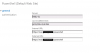
 
View attachment 3 i configure exchange connector in sccm 2012 R2

with correct configuration with my mail server

and also configure my mail server to accetp mail from sccm 2012 server

still not discover any mobile devices

i use domain admin and also exchange full admin

I do not find any issues in the above screenshot.
 
The settings used for device discovery in Microsoft are:
  • Separate service account for connection than site server computer account
  • Full discovery every 30 days
  • Delta discovery every 7 days
  • Used default Mobile settings configured in Exchange
has the exchange connector installed correctly ? Could you check SMS_EXCHANGE_CONNECTOR component & look for status ID 1015 ?.
 
i configure exchange connector using domain account that is member of domain admins and enterprise admin and exchange Organization Management
 
Hi Raf, the account that you are using seems to have no issues, could you check SMS_EXCHANGE_CONNECTOR component & look for status ID 1015 ?. Just want you to check if there are any errors.
 
Severity Type Site code Date / Time System Component Message ID Description
Error Milestone SC1 3/24/2015 10:58:23 AM SCCM2012 SMS_EXCHANGE_CONNECTOR 8801 Connection to Exchange server http://mail.ourdomain/powershell failed. Possible cause: incorrect server address or server address not reachable.
 
Raf, instead of host name in the powershell command, could you try using the IP address of exchange server ? Let me know the result.
 
hi dear prajwal this error message come when change power command to IP address of my exchange server

Severity Type Site code Date / Time System Component Message ID Description
Error Milestone SC1 3/26/2015 8:49:43 AM SCCM2012 SMS_EXCHANGE_CONNECTOR 8800 Connection to Exchange server http://my Server ip/powershell failed. Message: The WinRM client cannot process the request. Kerberos authentication cannot be used when the destination is an IP address. Specify a DNS or NetBIOS destination or specify Basic or Negotiate authentication. .
 
There should be some policy setting which is not allowing you to use the IP address. Try executing the below code first.
Set-Item WSMan:\localhost\Client\TrustedHosts -Value "*" -Force
 
Status
Not open for further replies.

Forum statistics

Threads
7,126
Messages
27,829
Members
18,138
Latest member
justkellen

Latest posts

Trending content

Back
Top