Forums on Intune, SCCM, and Windows 11

Welcome to the forums. Register a free account today to become a member! Once signed in, you'll be able to participate on this site by adding your topics and posts, as well as connect with other members through your own private inbox!

NEW Resource Explorer Empty

  • Thread starter Thread starter Edy
  • Start date Start date
  • Replies Replies 4
  • Views Views 8K

Edy

Well-Known Member
Messages
310
Solutions
3
Reaction score
33
Points
28
Hi guys,

Been having issue with some servers not updating the inventory and Resource Explorer is blank.

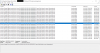
On the InventoryAgent.log; its just saying "Inventory: Message [Type=InventoryAction, ActionID={00000000-0000-0000-0000-000000000001}, Report=Delta] already in queue. Message ignored."

How do i find the other job that is currently blocking the job above?

I have tried re-installing the agent.

Software Inventory is not enabled on Client Setting. However, it was set to run every 30 minutes and i have changed it to 7 days.

Thanks
1589421155424.png
 
Last edited:
Software Inventory is not enabled on Client Setting. However, it was set to run every 30 minutes and i have changed it to 7 days.
What does this mean? When you look at the log file going back as far as you can, When exactly is it doing? When was the server last rebooted?

SW should be completely disabled, it is useless. https://www.enhansoft.com/sccm-software-inventory/
 
sorry, i was meant to say that SW inventory is disabled and HW inventory was set to run every 30 minutes and i have changed it to 12 hours instead.

seems like once the server is rebooted and forced HW inventory, the task is completed.

Server wasnt rebooted for a while, 3 months...

Still trying to find out the root cause of this.
 
looks like the root cause was the frequency of the inventory.

I created a script to "refresh" the ccm client which also work for the Device that is showing "No" client installed on console but CCMExec.exe is running on the server.

Code:
$strFileName="C:\Windows\SMSCFG.ini"
# Stop the Service
taskkill /f /fi "SERVICES eq ccmexec"
# Remove SMSCFG.INI from C:\Windows\
If (Test-Path $strFileName){
    Remove-Item $strFileName
}
# Delete Certificate from SMS folder
Get-ChildItem Cert:\LocalMachine\SMS |
Where-Object { $_.Issuer -match 'SMS' } |
Remove-Item
# Start CcmExec Service
Start-Service -Name CcmExec
 
Back
Top