Forums on Intune, SCCM, and Windows 11

Welcome to the forums. Register a free account today to become a member! Once signed in, you'll be able to participate on this site by adding your topics and posts, as well as connect with other members through your own private inbox!

SOLVED Rescaning Compliance

Status
Not open for further replies.

Juan Saldana

New Member
Messages
4
Reaction score
0
Points
1
Hello , i have a problem in a way how detect compliance in my sccm 2012.

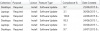
Few days ago is rescanning the values, they were almost at 100 % and today in the morning i;ve check and its appears in 3 or 4 %. do you know what happend? this percent has been increasing.

i add a screenshot
upload_2015-8-17_11-56-43.png


Thank you for your help !
 
@Saldana :
If it is showing you incorrect complience report then do the following

Please check the clients (Desktop /Laptops) either 64 bit or 32 bit.

Could be one of Root-cause :

If it is 32 bit (x86) then there is small addressable memory range for scan the criteria and determine what is applicable or not..
The result is that there is either not enough memory available to satisfy the request or there is not a large enough contiguous block of free memory to satisfy the request.

Could be one of Work-Around :

Before to follow below step, please test the scenairo on testing envrionment.

1)
Move wuauserv (Windows Update Agent) to its own SVCHost.exe instance by completing the following:

a. On the client, open a Command Prompt and run sc config wuauserv type= own
b. Stop and then start wuauserv.

2)

Decline unneccesary/unwanted updates from WSUS.

3)

Clean up WSUS with script to get better result.

Thanks
 
Thank you for your answer, but i've been checking and the status is updating at this momento all of them are increasing.

but now i have another problem, i created a collection called laptops, the error that appears me is " group poliy conflict" and checked the domain controller and there's not a policy to wsus or something like that

do you have any idea for that?

thank you !!!
 
@Saldana : Is there any error message code/Id you get while group policy conflict..

If you can provide, so we can asssist you more on this problem ticket.

Hope you like it .. :)
 
Thank you for the fast response.

this is the error that appears at the collection

upload_2015-8-24_12-6-7.png

at this point the rest of the computer are in progress.

Thank you !
 
Firstly, check wuahandler.log and updatesdeployment.log , if you find any error message related to GPO
or
Domain GPO overwrites SCCM Client settings and points the machine to corporate WSUS server.

You can use the FQDN and see if it solves the problem. The settings will be refreshed when the GPO is refreshed.
 
Hello, i've been checking the deployments, and at this point just 3 computer has the error, but all of them are turn off. i don't know why is happening this.

any advice? o recommendation ???
 
Hi Saladana : It is mandatory requirement to Machine should be Online and connected to LAN (Wired Network) to report as complience...
If Machines are offline then patch will never download and installed on 3 systems .

Recommandation is Turn on Systems and connect to LAN and check the patch status in Software update if client reports to SCCM 2012
If client reports to SCCM 2007 just go to appwiz.cpl and click on view installed update

Hope you like provied solution and this will resolve your issue

Thanks
 
Status
Not open for further replies.

Forum statistics

Threads
7,130
Messages
27,846
Members
18,145
Latest member
Rothgar
Back
Top
