guitargeek
New Member
- Messages
- 2
- Reaction score
- 0
- Points
- 1
I recently was tasked to install Reporting into SCCM. I Installed the Report Server as well as enabled the setup.
I am able to on the actual SCCM server, which also has SQL and SSRS installed on it, fully pull reports etc..
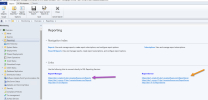
When I go to my actual workstation though to do this via Configuration Manager, the reports are completely blank.
When I go to create a report I get an error "The request failed with HTTP status 401:unauthorized".
One thing to note, on my workstation, I had to give myself permissions to the Home and other folders, but I do have them in SSRS.
Hopefully this isn't something simple that I missed.
It's really odd since on the server I am using the same username, that for me confirms permissions to view the reports. There is no proxy in between my computer and the server. I am able to run reports also via going to the SSRS_Site/Reports after permissons were added for my username, it is prompting me to login thugh.
I have set NTLM as per another forum that could be the problem.
Any help with this would be awesome.
I am able to on the actual SCCM server, which also has SQL and SSRS installed on it, fully pull reports etc..
When I go to my actual workstation though to do this via Configuration Manager, the reports are completely blank.
When I go to create a report I get an error "The request failed with HTTP status 401:unauthorized".
One thing to note, on my workstation, I had to give myself permissions to the Home and other folders, but I do have them in SSRS.
Hopefully this isn't something simple that I missed.
It's really odd since on the server I am using the same username, that for me confirms permissions to view the reports. There is no proxy in between my computer and the server. I am able to run reports also via going to the SSRS_Site/Reports after permissons were added for my username, it is prompting me to login thugh.
I have set NTLM as per another forum that could be the problem.
Any help with this would be awesome.