Forums on Intune, SCCM, and Windows 11

Welcome to the forums. Register a free account today to become a member! Once signed in, you'll be able to participate on this site by adding your topics and posts, as well as connect with other members through your own private inbox!

SOLVED PXE-E55: ProxyDHCP service did not reply to request port 4011

Status
Not open for further replies.

Juan M.

Member
Messages
20
Reaction score
1
Points
3
Hi,

I have been unable to boot from PXE from my system.
Any computer I try to boot from it I get:
PXE-E55: ProxyDHCP service did not reply to request on port 4011

I'm able to deploy an image from USB, but not PXE.
Boot images have been configured to boot from pxe and distribution point has pxe enabled.

I'm wondering if I would need ADK installed on the Distribution point?^?
thought this since this is the error I'm seeing in SMSPXE.log
Failed to open registry key 'Software\Wow6432Node\Microsoft\Windows Kits\Installed Roots', unable to find location of ADK SMSPXE 9/6/2017 3:19:01 PM 2196 (0x0894)
 
Did you have modified in the DHCP Options ? Can you try to disable DHCP Options 60,43, 66, and 67.
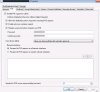
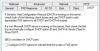
Can you capture a screenshot of your PXE Settings from DP ? (Enable PXE for clients...)
 
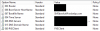
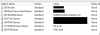
Please see the attached images for configuration.

upload_2017-9-14_12-29-54.png
 

Attachments

  • PXE1.png
    PXE1.png
    23.2 KB · Views: 76
  • PXE2.png
    PXE2.png
    24.1 KB · Views: 72
  • PXE3.png
    PXE3.png
    15.9 KB · Views: 69
Last edited:
Oh, and:
  • WDS is in my distribution point.
  • DHCP is on a separate server (domain controller)
  • and its all on the same ip range.
 
PXE Settings appear to be correct.

You can try the disable DHCP Option 67 with set the config below in your registry (WDS Server) :
HKEY_LOCAL_MACHINE\SYSTEM\CurrentControlSet\Services\WDSServer\Parameters\UseDhcpPorts to 0
 
Last edited:
did this but didnt work... sorry.
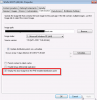
I'm also seeing that in the WDS server properties, I find the following box to be marked:
upload_2017-9-13_13-13-48.png

as a reminder, WDS server and DHCP are in separate servers.WDS is in my Distribution point.

thank you for your help on this.... I have not said it even once.. just noticed... my apologies.
 
Last edited:
Are you using IP helpers ?. If not DHCP options 66, 67 should be configured. Do not configure anything WDS console, just leave it as it is.
 
No, not using IP helpers so I believe I have configured 66 and 67 correctly.
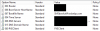
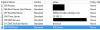
upload_2017-9-14_12-29-30.png

66 with my WDS IP.
 

Attachments

  • upload_2017-9-14_12-26-38.png
    upload_2017-9-14_12-26-38.png
    16.8 KB · Views: 45
We finally got to delete option 60, thought that by unchecking the checkbox it was done but seems not.
  • so now is FINALLY contacting the WDS server in the Distribution point.
  • It downloads WDSNBP
  • then it says pending request ID: 4
  • Message from administrator:
    Configuration manager is looking for policy
  • Contacting server: X.X.X.X
  • TFTP download: smsboot\x64\abortpxe.com
and it stops

but at least were getting somewhere
 
Status
Not open for further replies.
Back
Top