apsenn
Member
- Messages
- 19
- Solutions
- 2
- Reaction score
- 0
- Points
- 1
Layout of my system
Hyper-V running with
1 VM = DC, DNS, and DHCP
1 VM = SCCM (WSUS / WDS)
Multiple clients being created and deleted
I have enabled PXE on the SCCM server, verified that the WDS role got installed and see the folders under
E:\RemoteInstall (SMSBoot, SMSImages)
On the DHCP server I have set the following options
66 = 192.168.2.51 (IP Address of SCCM Server)
67 = SMSBoot\x64\wdsnbp.com
PXE is enabled, Allow Distribution point to respond to incoming PXE requests, Enable unknown command support. Respond on all network interfaces
What I am seeing, is PXE is not booting constantly, seems it only wants to boot for known machines, even though it is set to Enable Unknown Computer support
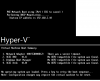
I tried with multiple fresh VMs and PXE fails, in the quick info I see it get a DHCP address and Lists Server address of the SCCM Server. On HyperV I am testing with 2 different VM Types Generation 1 and Generation 2 (Seems Gen 2 is UEFI) Gen 1 appears to do nothing it just fails to boot never see DHCP request or anything.
I have a machine that was running Windows 10 and is in SCCM and had the client, I deployed an available image to it and booted it from a Bootable media I created, and it went to image but failed with error 0x8004242C after or during the Format of Hard drive for UEFI.
After that it rebooted and successfully PXE'ed except I had to Press Enter to continue for network boot, which I don't want. It still failed with the same error for the image.
I then made a Required Image deployment and deployed to the same machine and one 1 try saw PXE go without asking and booted and tried to image, but failed with same error again. Now it is back to failing to PXE at all, and I am not sure what is causing these errors.
Goal is to get PXE working to where I can create new VMs and kick off the images on them without them having to be in SCCM at all first, and they will get domain joined and get sccm client after that.
Also just tried this machine with the bootable media and it boots and tries to apply image but fails with same error, (Fails at Running Action Partition Disk 0 - UEFI)
Truthfully I would probably want to get this working without UEFI at all, and just use Legacy mode.
Thanks
Hyper-V running with
1 VM = DC, DNS, and DHCP
1 VM = SCCM (WSUS / WDS)
Multiple clients being created and deleted
I have enabled PXE on the SCCM server, verified that the WDS role got installed and see the folders under
E:\RemoteInstall (SMSBoot, SMSImages)
On the DHCP server I have set the following options
66 = 192.168.2.51 (IP Address of SCCM Server)
67 = SMSBoot\x64\wdsnbp.com
PXE is enabled, Allow Distribution point to respond to incoming PXE requests, Enable unknown command support. Respond on all network interfaces
What I am seeing, is PXE is not booting constantly, seems it only wants to boot for known machines, even though it is set to Enable Unknown Computer support
I tried with multiple fresh VMs and PXE fails, in the quick info I see it get a DHCP address and Lists Server address of the SCCM Server. On HyperV I am testing with 2 different VM Types Generation 1 and Generation 2 (Seems Gen 2 is UEFI) Gen 1 appears to do nothing it just fails to boot never see DHCP request or anything.
I have a machine that was running Windows 10 and is in SCCM and had the client, I deployed an available image to it and booted it from a Bootable media I created, and it went to image but failed with error 0x8004242C after or during the Format of Hard drive for UEFI.
After that it rebooted and successfully PXE'ed except I had to Press Enter to continue for network boot, which I don't want. It still failed with the same error for the image.
I then made a Required Image deployment and deployed to the same machine and one 1 try saw PXE go without asking and booted and tried to image, but failed with same error again. Now it is back to failing to PXE at all, and I am not sure what is causing these errors.
Goal is to get PXE working to where I can create new VMs and kick off the images on them without them having to be in SCCM at all first, and they will get domain joined and get sccm client after that.
Also just tried this machine with the bootable media and it boots and tries to apply image but fails with same error, (Fails at Running Action Partition Disk 0 - UEFI)
Truthfully I would probably want to get this working without UEFI at all, and just use Legacy mode.
Thanks