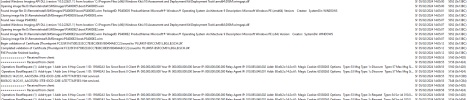
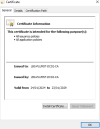
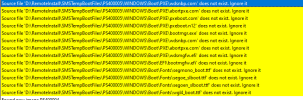
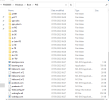
I have checked many articles, refreshed certificates, changed recommended settings and i cannot get it to PXE boot for SCCM.
The client computer searches for DHCP over IPv4, it looks like it receives an address but then the screen flashes and it goes to the manufacturer startup menu and in the SMSPXE log file it doesn't display a client IP.
I then changed the secure boot settings from Legacy to Secure, same outcome, when i changed it back it changed to the DHCP search as if it were searching for WDS rather than SCCM PXE and i get access violation and TFTP Server error messages.
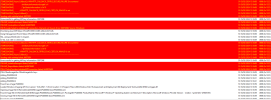
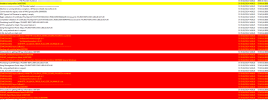
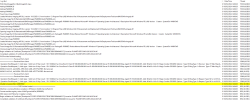
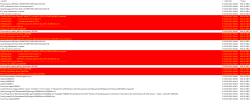
SMSPXE.log
============> Received from client: SMSPXE 01/02/2024 11:27:08 3300 (0x0CE4)
============> Received from client: SMSPXE 01/02/2024 11:27:08 6704 (0x1A30)
Operation: BootRequest (1) Addr type: 1 Addr Len: 6 Hop Count: 1 ID: 3121AE41
Sec Since Boot: 4 Client IP: 000.000.000.000 Your IP: 000.000.000.000 Server IP: 000.000.000.000 Relay Agent IP: 010.085.040.002
Addr: 50:81:40:ae:21:31:
Magic Cookie: 63538263
Options:
Type=53 Msg Type: 1=Discover
Type=55 Param Request List: 0102030405060b0c0d0f10111216171c28292a2b3233363a3b3c42438081828384858687
Type=57 Max Msg Size: 04ec
Type=97 UUID: 0083fbde0acf5557f42a1d6f2b33b4139c
Type=93 Client Arch: Intel x86PC
Type=94 UNDI: 010201
Type=60 ClassId: PXEClient:Arch:00000:UNDI:002001 SMSPXE 01/02/2024 11:27:08 3300 (0x0CE4)
Operation: BootRequest (1) Addr type: 1 Addr Len: 6 Hop Count: 1 ID: 3121AE41
Sec Since Boot: 4 Client IP: 000.000.000.000 Your IP: 000.000.000.000 Server IP: 000.000.000.000 Relay Agent IP: 010.085.040.001
Addr: 50:81:40:ae:21:31:
Magic Cookie: 63538263
Options:
Type=53 Msg Type: 1=Discover
Type=55 Param Request List: 0102030405060b0c0d0f10111216171c28292a2b3233363a3b3c42438081828384858687
Type=57 Max Msg Size: 04ec
Type=97 UUID: 0083fbde0acf5557f42a1d6f2b33b4139c
Type=93 Client Arch: Intel x86PC
Type=94 UNDI: 010201
Type=60 ClassId: PXEClient:Arch:00000:UNDI:002001 SMSPXE 01/02/2024 11:27:08 6704 (0x1A30)
50:81:40:AE:21:31, 0ADEFB83-55CF-F457-2A1D-6F2B33B4139C: Not serviced. SMSPXE 01/02/2024 11:27:08 6228 (0x1854)
50:81:40:AE:21:31, 0ADEFB83-55CF-F457-2A1D-6F2B33B4139C: Not serviced. SMSPXE 01/02/2024 11:27:08 3992 (0x0F98)
============> Received from client: SMSPXE 01/02/2024 11:27:12 6704 (0x1A30)
============> Received from client: SMSPXE 01/02/2024 11:27:12 3300 (0x0CE4)
Operation: BootRequest (1) Addr type: 1 Addr Len: 6 Hop Count: 1 ID: 3121AE41
Sec Since Boot: 4 Client IP: 000.000.000.000 Your IP: 000.000.000.000 Server IP: 000.000.000.000 Relay Agent IP: 010.085.040.002
Addr: 50:81:40:ae:21:31:
Magic Cookie: 63538263
Options:
Type=53 Msg Type: 3=Request
Type=50 Requested IP: 010.085.041.010
Type=55 Param Request List: 0102030405060b0c0d0f10111216171c28292a2b3233363a3b3c42438081828384858687
Type=57 Max Msg Size: 04ec
Type=54 Svr id: 010.085.032.035
Type=97 UUID: 0083fbde0acf5557f42a1d6f2b33b4139c
Type=93 Client Arch: Intel x86PC
Type=94 UNDI: 010201
Type=60 ClassId: PXEClient:Arch:00000:UNDI:002001 SMSPXE 01/02/2024 11:27:12 6704 (0x1A30)
Operation: BootRequest (1) Addr type: 1 Addr Len: 6 Hop Count: 1 ID: 3121AE41
Sec Since Boot: 4 Client IP: 000.000.000.000 Your IP: 000.000.000.000 Server IP: 000.000.000.000 Relay Agent IP: 010.085.040.001
Addr: 50:81:40:ae:21:31:
Magic Cookie: 63538263
Options:
Type=53 Msg Type: 3=Request
Type=50 Requested IP: 010.085.041.010
Type=55 Param Request List: 0102030405060b0c0d0f10111216171c28292a2b3233363a3b3c42438081828384858687
Type=57 Max Msg Size: 04ec
Type=54 Svr id: 010.085.032.035
Type=97 UUID: 0083fbde0acf5557f42a1d6f2b33b4139c
Type=93 Client Arch: Intel x86PC
Type=94 UNDI: 010201
Type=60 ClassId: PXEClient:Arch:00000:UNDI:002001 SMSPXE 01/02/2024 11:27:12 3300 (0x0CE4)
============> Received from client: SMSPXE 01/02/2024 11:27:49 3300 (0x0CE4)
============> Received from client: SMSPXE 01/02/2024 11:27:49 6704 (0x1A30)
Operation: BootRequest (1) Addr type: 1 Addr Len: 6 Hop Count: 1 ID: 3121AE41
Sec Since Boot: 4 Client IP: 000.000.000.000 Your IP: 000.000.000.000 Server IP: 000.000.000.000 Relay Agent IP: 010.085.040.001
Addr: 50:81:40:ae:21:31:
Magic Cookie: 63538263
Options:
Type=53 Msg Type: 1=Discover
Type=55 Param Request List: 0102030405060b0c0d0f10111216171c28292a2b3233363a3b3c42438081828384858687
Type=57 Max Msg Size: 04ec
Type=97 UUID: 0083fbde0acf5557f42a1d6f2b33b4139c
Type=93 Client Arch: Intel x86PC
Type=94 UNDI: 010201
Type=60 ClassId: PXEClient:Arch:00000:UNDI:002001 SMSPXE 01/02/2024 11:27:49 3300 (0x0CE4)
Operation: BootRequest (1) Addr type: 1 Addr Len: 6 Hop Count: 1 ID: 3121AE41
Sec Since Boot: 4 Client IP: 000.000.000.000 Your IP: 000.000.000.000 Server IP: 000.000.000.000 Relay Agent IP: 010.085.040.002
Addr: 50:81:40:ae:21:31:
Magic Cookie: 63538263
Options:
Type=53 Msg Type: 1=Discover
Type=55 Param Request List: 0102030405060b0c0d0f10111216171c28292a2b3233363a3b3c42438081828384858687
Type=57 Max Msg Size: 04ec
Type=97 UUID: 0083fbde0acf5557f42a1d6f2b33b4139c
Type=93 Client Arch: Intel x86PC
Type=94 UNDI: 010201
Type=60 ClassId: PXEClient:Arch:00000:UNDI:002001 SMSPXE 01/02/2024 11:27:49 6704 (0x1A30)
50:81:40:AE:21:31, 0ADEFB83-55CF-F457-2A1D-6F2B33B4139C: Not serviced. SMSPXE 01/02/2024 11:27:49 3992 (0x0F98)
50:81:40:AE:21:31, 0ADEFB83-55CF-F457-2A1D-6F2B33B4139C: Not serviced. SMSPXE 01/02/2024 11:27:49 6228 (0x1854)
============> Received from client: SMSPXE 01/02/2024 11:27:53 3300 (0x0CE4)
============> Received from client: SMSPXE 01/02/2024 11:27:53 6704 (0x1A30)
Operation: BootRequest (1) Addr type: 1 Addr Len: 6 Hop Count: 1 ID: 3121AE41
Sec Since Boot: 4 Client IP: 000.000.000.000 Your IP: 000.000.000.000 Server IP: 000.000.000.000 Relay Agent IP: 010.085.040.001
Addr: 50:81:40:ae:21:31:
Magic Cookie: 63538263
Options:
Type=53 Msg Type: 3=Request
Type=50 Requested IP: 010.085.041.010
Type=55 Param Request List: 0102030405060b0c0d0f10111216171c28292a2b3233363a3b3c42438081828384858687
Type=57 Max Msg Size: 04ec
Type=54 Svr id: 010.085.032.035
Type=97 UUID: 0083fbde0acf5557f42a1d6f2b33b4139c
Type=93 Client Arch: Intel x86PC
Type=94 UNDI: 010201
Type=60 ClassId: PXEClient:Arch:00000:UNDI:002001 SMSPXE 01/02/2024 11:27:53 3300 (0x0CE4)
Operation: BootRequest (1) Addr type: 1 Addr Len: 6 Hop Count: 1 ID: 3121AE41
Sec Since Boot: 4 Client IP: 000.000.000.000 Your IP: 000.000.000.000 Server IP: 000.000.000.000 Relay Agent IP: 010.085.040.002
Addr: 50:81:40:ae:21:31:
Magic Cookie: 63538263
Options:
Type=53 Msg Type: 3=Request
Type=50 Requested IP: 010.085.041.010
Type=55 Param Request List: 0102030405060b0c0d0f10111216171c28292a2b3233363a3b3c42438081828384858687
Type=57 Max Msg Size: 04ec
Type=54 Svr id: 010.085.032.035
Type=97 UUID: 0083fbde0acf5557f42a1d6f2b33b4139c
Type=93 Client Arch: Intel x86PC
Type=94 UNDI: 010201
Type=60 ClassId: PXEClient:Arch:00000:UNDI:002001 SMSPXE 01/02/2024 11:27:53 6704 (0x1A30)
The client computer searches for DHCP over IPv4, it looks like it receives an address but then the screen flashes and it goes to the manufacturer startup menu and in the SMSPXE log file it doesn't display a client IP.
I then changed the secure boot settings from Legacy to Secure, same outcome, when i changed it back it changed to the DHCP search as if it were searching for WDS rather than SCCM PXE and i get access violation and TFTP Server error messages.
SMSPXE.log
============> Received from client: SMSPXE 01/02/2024 11:27:08 3300 (0x0CE4)
============> Received from client: SMSPXE 01/02/2024 11:27:08 6704 (0x1A30)
Operation: BootRequest (1) Addr type: 1 Addr Len: 6 Hop Count: 1 ID: 3121AE41
Sec Since Boot: 4 Client IP: 000.000.000.000 Your IP: 000.000.000.000 Server IP: 000.000.000.000 Relay Agent IP: 010.085.040.002
Addr: 50:81:40:ae:21:31:
Magic Cookie: 63538263
Options:
Type=53 Msg Type: 1=Discover
Type=55 Param Request List: 0102030405060b0c0d0f10111216171c28292a2b3233363a3b3c42438081828384858687
Type=57 Max Msg Size: 04ec
Type=97 UUID: 0083fbde0acf5557f42a1d6f2b33b4139c
Type=93 Client Arch: Intel x86PC
Type=94 UNDI: 010201
Type=60 ClassId: PXEClient:Arch:00000:UNDI:002001 SMSPXE 01/02/2024 11:27:08 3300 (0x0CE4)
Operation: BootRequest (1) Addr type: 1 Addr Len: 6 Hop Count: 1 ID: 3121AE41
Sec Since Boot: 4 Client IP: 000.000.000.000 Your IP: 000.000.000.000 Server IP: 000.000.000.000 Relay Agent IP: 010.085.040.001
Addr: 50:81:40:ae:21:31:
Magic Cookie: 63538263
Options:
Type=53 Msg Type: 1=Discover
Type=55 Param Request List: 0102030405060b0c0d0f10111216171c28292a2b3233363a3b3c42438081828384858687
Type=57 Max Msg Size: 04ec
Type=97 UUID: 0083fbde0acf5557f42a1d6f2b33b4139c
Type=93 Client Arch: Intel x86PC
Type=94 UNDI: 010201
Type=60 ClassId: PXEClient:Arch:00000:UNDI:002001 SMSPXE 01/02/2024 11:27:08 6704 (0x1A30)
50:81:40:AE:21:31, 0ADEFB83-55CF-F457-2A1D-6F2B33B4139C: Not serviced. SMSPXE 01/02/2024 11:27:08 6228 (0x1854)
50:81:40:AE:21:31, 0ADEFB83-55CF-F457-2A1D-6F2B33B4139C: Not serviced. SMSPXE 01/02/2024 11:27:08 3992 (0x0F98)
============> Received from client: SMSPXE 01/02/2024 11:27:12 6704 (0x1A30)
============> Received from client: SMSPXE 01/02/2024 11:27:12 3300 (0x0CE4)
Operation: BootRequest (1) Addr type: 1 Addr Len: 6 Hop Count: 1 ID: 3121AE41
Sec Since Boot: 4 Client IP: 000.000.000.000 Your IP: 000.000.000.000 Server IP: 000.000.000.000 Relay Agent IP: 010.085.040.002
Addr: 50:81:40:ae:21:31:
Magic Cookie: 63538263
Options:
Type=53 Msg Type: 3=Request
Type=50 Requested IP: 010.085.041.010
Type=55 Param Request List: 0102030405060b0c0d0f10111216171c28292a2b3233363a3b3c42438081828384858687
Type=57 Max Msg Size: 04ec
Type=54 Svr id: 010.085.032.035
Type=97 UUID: 0083fbde0acf5557f42a1d6f2b33b4139c
Type=93 Client Arch: Intel x86PC
Type=94 UNDI: 010201
Type=60 ClassId: PXEClient:Arch:00000:UNDI:002001 SMSPXE 01/02/2024 11:27:12 6704 (0x1A30)
Operation: BootRequest (1) Addr type: 1 Addr Len: 6 Hop Count: 1 ID: 3121AE41
Sec Since Boot: 4 Client IP: 000.000.000.000 Your IP: 000.000.000.000 Server IP: 000.000.000.000 Relay Agent IP: 010.085.040.001
Addr: 50:81:40:ae:21:31:
Magic Cookie: 63538263
Options:
Type=53 Msg Type: 3=Request
Type=50 Requested IP: 010.085.041.010
Type=55 Param Request List: 0102030405060b0c0d0f10111216171c28292a2b3233363a3b3c42438081828384858687
Type=57 Max Msg Size: 04ec
Type=54 Svr id: 010.085.032.035
Type=97 UUID: 0083fbde0acf5557f42a1d6f2b33b4139c
Type=93 Client Arch: Intel x86PC
Type=94 UNDI: 010201
Type=60 ClassId: PXEClient:Arch:00000:UNDI:002001 SMSPXE 01/02/2024 11:27:12 3300 (0x0CE4)
============> Received from client: SMSPXE 01/02/2024 11:27:49 3300 (0x0CE4)
============> Received from client: SMSPXE 01/02/2024 11:27:49 6704 (0x1A30)
Operation: BootRequest (1) Addr type: 1 Addr Len: 6 Hop Count: 1 ID: 3121AE41
Sec Since Boot: 4 Client IP: 000.000.000.000 Your IP: 000.000.000.000 Server IP: 000.000.000.000 Relay Agent IP: 010.085.040.001
Addr: 50:81:40:ae:21:31:
Magic Cookie: 63538263
Options:
Type=53 Msg Type: 1=Discover
Type=55 Param Request List: 0102030405060b0c0d0f10111216171c28292a2b3233363a3b3c42438081828384858687
Type=57 Max Msg Size: 04ec
Type=97 UUID: 0083fbde0acf5557f42a1d6f2b33b4139c
Type=93 Client Arch: Intel x86PC
Type=94 UNDI: 010201
Type=60 ClassId: PXEClient:Arch:00000:UNDI:002001 SMSPXE 01/02/2024 11:27:49 3300 (0x0CE4)
Operation: BootRequest (1) Addr type: 1 Addr Len: 6 Hop Count: 1 ID: 3121AE41
Sec Since Boot: 4 Client IP: 000.000.000.000 Your IP: 000.000.000.000 Server IP: 000.000.000.000 Relay Agent IP: 010.085.040.002
Addr: 50:81:40:ae:21:31:
Magic Cookie: 63538263
Options:
Type=53 Msg Type: 1=Discover
Type=55 Param Request List: 0102030405060b0c0d0f10111216171c28292a2b3233363a3b3c42438081828384858687
Type=57 Max Msg Size: 04ec
Type=97 UUID: 0083fbde0acf5557f42a1d6f2b33b4139c
Type=93 Client Arch: Intel x86PC
Type=94 UNDI: 010201
Type=60 ClassId: PXEClient:Arch:00000:UNDI:002001 SMSPXE 01/02/2024 11:27:49 6704 (0x1A30)
50:81:40:AE:21:31, 0ADEFB83-55CF-F457-2A1D-6F2B33B4139C: Not serviced. SMSPXE 01/02/2024 11:27:49 3992 (0x0F98)
50:81:40:AE:21:31, 0ADEFB83-55CF-F457-2A1D-6F2B33B4139C: Not serviced. SMSPXE 01/02/2024 11:27:49 6228 (0x1854)
============> Received from client: SMSPXE 01/02/2024 11:27:53 3300 (0x0CE4)
============> Received from client: SMSPXE 01/02/2024 11:27:53 6704 (0x1A30)
Operation: BootRequest (1) Addr type: 1 Addr Len: 6 Hop Count: 1 ID: 3121AE41
Sec Since Boot: 4 Client IP: 000.000.000.000 Your IP: 000.000.000.000 Server IP: 000.000.000.000 Relay Agent IP: 010.085.040.001
Addr: 50:81:40:ae:21:31:
Magic Cookie: 63538263
Options:
Type=53 Msg Type: 3=Request
Type=50 Requested IP: 010.085.041.010
Type=55 Param Request List: 0102030405060b0c0d0f10111216171c28292a2b3233363a3b3c42438081828384858687
Type=57 Max Msg Size: 04ec
Type=54 Svr id: 010.085.032.035
Type=97 UUID: 0083fbde0acf5557f42a1d6f2b33b4139c
Type=93 Client Arch: Intel x86PC
Type=94 UNDI: 010201
Type=60 ClassId: PXEClient:Arch:00000:UNDI:002001 SMSPXE 01/02/2024 11:27:53 3300 (0x0CE4)
Operation: BootRequest (1) Addr type: 1 Addr Len: 6 Hop Count: 1 ID: 3121AE41
Sec Since Boot: 4 Client IP: 000.000.000.000 Your IP: 000.000.000.000 Server IP: 000.000.000.000 Relay Agent IP: 010.085.040.002
Addr: 50:81:40:ae:21:31:
Magic Cookie: 63538263
Options:
Type=53 Msg Type: 3=Request
Type=50 Requested IP: 010.085.041.010
Type=55 Param Request List: 0102030405060b0c0d0f10111216171c28292a2b3233363a3b3c42438081828384858687
Type=57 Max Msg Size: 04ec
Type=54 Svr id: 010.085.032.035
Type=97 UUID: 0083fbde0acf5557f42a1d6f2b33b4139c
Type=93 Client Arch: Intel x86PC
Type=94 UNDI: 010201
Type=60 ClassId: PXEClient:Arch:00000:UNDI:002001 SMSPXE 01/02/2024 11:27:53 6704 (0x1A30)