Forums on Intune, SCCM, and Windows 11

Welcome to the forums. Register a free account today to become a member! Once signed in, you'll be able to participate on this site by adding your topics and posts, as well as connect with other members through your own private inbox!

PENDING Problems with sccm Management Point (critical state) on server with WSUS Role

  • Thread starter Thread starter LucianMari
  • Start date Start date
  • Replies Replies 19
  • Views Views 2K

LucianMari

Member
Messages
9
Reaction score
0
Points
1
Hello.
I deployed a SCCM server on Server 2019 Datacenter with WSUS role installed, but i have a problem with MP role.....is in Critical State. Installation was successfully (attached some info from logs files).
Is there a problem with my config?......SCCM on same WSUS server?
Thanks for your time.

 

Attachments

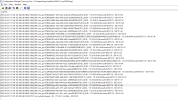
What do your IIS logs look like if you open them with cmtrace, are they all red?
If you try to open the virtual directories on your Default Site or WSUS site using http, do the web pages look correct?

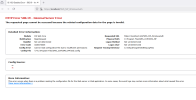
What happens when you try to open these urls

Sorry for the delayed answer.​

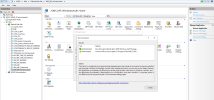
1745579075245.png

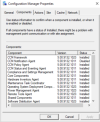
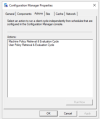
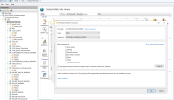
I also see that only 2 actions are available in Configuration Manager Properties​


Attachments

  • CMP-Components.png
    CMP-Components.png
    111.4 KB · Views: 3
  • CMP1.png
    CMP1.png
    38.7 KB · Views: 3

Sorry for the delayed answer.​

View attachment 7182

I also see that only 2 actions are available in Configuration Manager Properties​


What do your IIS logs look like if you open them with cmtrace, are they all red?
If you try to open the virtual directories on your Default Site or WSUS site using http, do the web pages look correct?

What happens when you try to open these urls
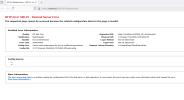
1745579569091.png
 
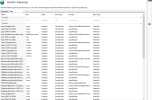
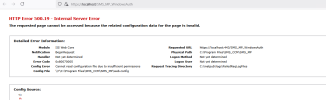
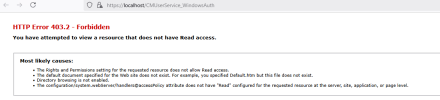
Ok i personally would forget what your sccm client looks like and concentrate on iis as every communication is getting page 500. you should be able to open all of the nodes under Default Website in a web browser, if you cannot then check the permissions, also check that directory browsing is enabled and handler mappings are not restricted. Also enable failed request tracing. What permissions are set for the virtual directories in iis?
 
Ok i personally would forget what your sccm client looks like and concentrate on iis as every communication is getting page 500. you should be able to open all of the nodes under Default Website in a web browser, if you cannot then check the permissions, also check that directory browsing is enabled and handler mappings are not restricted. Also enable failed request tracing. What permissions are set for the virtual directories in iis?
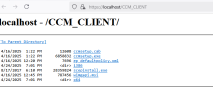
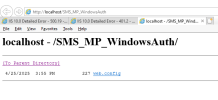
i enabled directory browsing.....enabled failed request tracing.....
1745585169921.png1745584985599.png
 
so if you highlight sms_mp_windowsauth node, click on basic settings, test connection, what happens. It's really a permissions issue imo buit i will fire up iis in my lab to check. Also check that the Physical Path has really inherited the permissions that you have on your working node
 
so if you highlight sms_mp_windowsauth node, click on basic settings, test connection, what happens. It's really a permissions issue imo buit i will fire up iis in my lab to check. Also check that the Physical Path has really inherited the permissions that you have on your working node
"Also check that the Physical Path has really inherited the permissions that you have on your working node"....how?

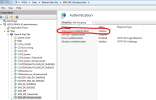
1745587004820.png
 
Sure, i was a bit busy to upload. What is missing from this doc is the permissions i have on the physical folder path. They are.....

IUSER
IIS_IUSRS
IIS AppPool\DefaultAppPool

All with Read only access

Also when testing the connection through Basic Settings, i created a service account and used that instead of Pass Through
 

Attachments

Forum statistics

Threads
7,130
Messages
27,846
Members
18,145
Latest member
Rothgar
Back
Top