
Hi,
In SCCM 2012 R2 SP1 we used the TS Variable OSDPreserveDriveLetter in order to make sure that the OS volume get's correct drive letter.
I see that this variable has been depricated in Current Branch 1606.
As stated here: https://docs.microsoft.com/en-us/sccm/core/plan-design/changes/whats-new-in-version-1606
What exactly should I choose when applying Windows 10, Windows 8.1 and Windows 7?
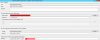
The available options we can choose from are:
Next available partition
Specific disk and partition
Specific logical drive letter
Logical drive letter stored in a variable
I know what the meaning is (see: https://docs.microsoft.com/en-us/sc...sequence-steps#BKMK_ApplyOperatingSystemImage)
But I'm confused as to what I have to choose in order to make sure that OS is applied to correct volume.
In SCCM 2012 R2 SP1 we used the TS Variable OSDPreserveDriveLetter in order to make sure that the OS volume get's correct drive letter.
I see that this variable has been depricated in Current Branch 1606.
As stated here: https://docs.microsoft.com/en-us/sccm/core/plan-design/changes/whats-new-in-version-1606
What exactly should I choose when applying Windows 10, Windows 8.1 and Windows 7?
The available options we can choose from are:
Next available partition
Specific disk and partition
Specific logical drive letter
Logical drive letter stored in a variable
I know what the meaning is (see: https://docs.microsoft.com/en-us/sc...sequence-steps#BKMK_ApplyOperatingSystemImage)
But I'm confused as to what I have to choose in order to make sure that OS is applied to correct volume.

 . If you want to specify a different drive to use, you can change the location in the Apply Operating System task sequence step. Go to the Select the location where you want to apply this operating system setting, select Specific logical drive letter, and choose the drive that you want to use. There must be a drive assigned with the letter you choose on the destination computer.
