
Hello to all;
I have been trying to figure out the cause to my problem for a couple of days now but I cannot seem to find what the issue is.
So I am trying to push the Office 365 current channel update to our users (this works through an adr and previous updates where working as expected);
however since this particular update (current channel update 2302 16130.20218) a number of workstations are reporting error 0X87D00668 and some are also reporting BITS errors:
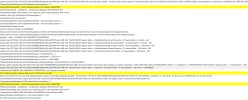
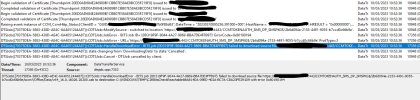
I am not sure if these errors might be related; and why is this happening? The update does not seem to get transfered to the client workstation; I can confirm that other updates are working fine (windows defender definition updates are being installed and windows 10 /11 updates)
I have checked wuahandler logs and could not find any errors, the same with cas logs.
I have also deleted the adr (including the downloaded office updates) and created the adr from scratch just to make sure I am getting a fresh start but the errors still crop up.
I am at quite a loss at what else I can troubleshoot to get this update to actually install properly.
Can anyone help me out please?
Thanks in advance.
I have been trying to figure out the cause to my problem for a couple of days now but I cannot seem to find what the issue is.
So I am trying to push the Office 365 current channel update to our users (this works through an adr and previous updates where working as expected);
however since this particular update (current channel update 2302 16130.20218) a number of workstations are reporting error 0X87D00668 and some are also reporting BITS errors:
I am not sure if these errors might be related; and why is this happening? The update does not seem to get transfered to the client workstation; I can confirm that other updates are working fine (windows defender definition updates are being installed and windows 10 /11 updates)
I have checked wuahandler logs and could not find any errors, the same with cas logs.
I have also deleted the adr (including the downloaded office updates) and created the adr from scratch just to make sure I am getting a fresh start but the errors still crop up.
I am at quite a loss at what else I can troubleshoot to get this update to actually install properly.
Can anyone help me out please?
Thanks in advance.
Last edited:


