James Chan
Member
- Messages
- 10
- Reaction score
- 1
- Points
- 1
Hi,
I follow the article https://www.prajwaldesai.com/deploy-new-microsoft-teams-using-sccm/ to use .misx to create New Microsoft Teams application and deploy, I can see it in software center, it works.
but when I want to add it to the task sequence, this application not show in the list when I click on the add button

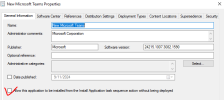
Then I check the box in the application property,
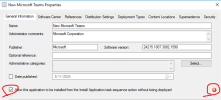
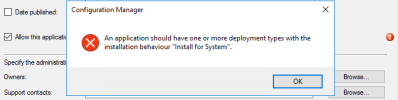
it pops up an error, click apply, it shows the details
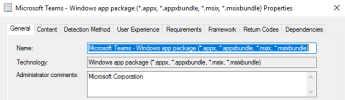
then open the deployment type, there is no "install behavior" tab
I need this application to be able to add in Task sequence. How can I do it?
Thanks,
regards,
JC
I follow the article https://www.prajwaldesai.com/deploy-new-microsoft-teams-using-sccm/ to use .misx to create New Microsoft Teams application and deploy, I can see it in software center, it works.
but when I want to add it to the task sequence, this application not show in the list when I click on the add button
Then I check the box in the application property,
it pops up an error, click apply, it shows the details
then open the deployment type, there is no "install behavior" tab
I need this application to be able to add in Task sequence. How can I do it?
Thanks,
regards,
JC