Forums on Intune, SCCM, and Windows 11

Welcome to the forums. Register a free account today to become a member! Once signed in, you'll be able to participate on this site by adding your topics and posts, as well as connect with other members through your own private inbox!

SOLVED Moving SQL Database from current server to another server

  • Thread starter Thread starter RJONA
  • Start date Start date
  • Replies Replies 13
  • Views Views 6K

RJONA

Active Member
Messages
42
Solutions
1
Reaction score
4
Points
8
Hello,

Currently I am facing an issue where I am unable to edit the permissions and security settings on my SCCM DB. The person who set up the DB is no longer at the company and the DB's SA account is disabled and I do not know the password.

As a result, I have asked my DBA to backup the flat files and restore them to another DB on a separate server. However, SCCM Created alot of the users in SQL such as :

smsdbrole_AITool
smsdbrole_AIUS
smsdbrole_AMTSP
smsdbrole_CRP
smsdbrole_CRPPfx
smsdbrole_DMP
smsdbrole_DmpConnector
smsdbrole_DViewAccess
smsdbrole_DWSS
smsdbrole_EnrollSvr
smsdbrole_extract
smsdbrole_HMSUser
smsdbrole_MCS
smsdbrole_MP
smsdbrole_siteprovider
smsdbrole_siteserver
smsdbrole_SUP
smsdbrole_WebPortal
smsdbuser_ReadOnly
smsdbuser_ReadWrite
smsdbuser_ReportSchema
smsschm_users
$server$\ConfigMgr_DViewAccess

So my question is: What is the best course of action to ensure that my SCCM Environment can be switched over to the new database without any permission issues and what can you recommend before doing this migration?
 
What do you mean by switch over? Are you doing an backup and restore? Are you doing something that is not listed within the docs? if so what?
 
If you need to migrate your CMDB to another server, I think you must have an account with "sysadmin" on the instance of SQL Server.
 
What do you mean by switch over? Are you doing an backup and restore? Are you doing something that is not listed within the docs? if so what?

The reason we are looking to move the DB from its current server is because we are integrating ServiceNow with SCCM. However, we cannot integrate servicenow with SCCM because servicenow only supports SQL Authentication and not Windows Authentication. We tried to put the sql server in single user mode, however there was a service that automatically turned on to stop us from enabling single user mode. Without the SA account, we cannot make any security changes, and as stated, the person who setup the DB (An external Vendor) did so and did not leave us with the SA password. So we copied the flat files over to another SQL server running the same version of SQL as the one that is currently hosting our SCCM DB instance. But before I "restore" my site, I wanted to find out if anyone here had a better approach to this.
 
You don't need to set sql into single user mode. You need to change SQL to use both SQL and Windows Authentication, Look at this ebook for more details with ServiceNow and SCCM.
https://ww2.enhansoft.com/ebook-how-to-integrate-sccm-data-into-servicenow

Thanks Garth,

But I'm seeing this and unable to download it not sure why :confused: and I did opt in for everything and checked all the boxes
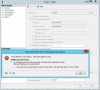
Garth was here!!! Due to GDPR reasons, we can only send this eBook to those who expressly opt-in for it. We are sorry that you DON'T want us to contact you. You are missing out on a great eBook. If this was by mistake, please click the back button and select teh GDPR optin option!
Due to GDPR reasons, we can only send this fantasist eBook to those that select GDRP check box. “I’d like to receive relevant updates from Enhansoft”. If this was in error, please check back and select this check box. 2:11
 
I just emailed the link to you. you should have it in your inbox by now.
 
Thanks Garth.

After reading through the document, I recall why we wanted to move the DB to another server. It is because the login credentials I have don't have sysadmin rights and the SA Account is disabled and I cannot create a new user. I have tried to connect to servicenow using the SCCM-Admin Credentials I have and use to write and execute queries, but I get do not get a successful connection because of the credentials.

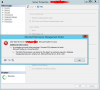
1548778512575.png
 
SA account is disabled by default and does not have a PW, when using Windows Auth.

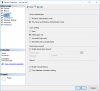
You need to change the SQL server to user both auth. methods. You do this by changing the SQL server properties.
WN.png
 
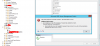
1548781069942.png

Permission issues still.

When trying to make the only other security login as a 'Sysadmin', I get this error

1548781300414.png
 
Does you account have SA rights within SQL? if not you can use the local system account via PSExec to do this.
 
I don't understand why you want to move the db, that will be a TON more headaches than just enabling SQL permissions but ... Here is just on blog on teh topic. https://blogs.technet.microsoft.com...igmgr-2012-site-database-to-a-new-sql-server/

Hey Garth, I actually wanted to view some documentation on how to use PSExec. But I looked online and found a great article that allowed me to log in with NTauthority and change the SA password and give sccm account sysadmin rights. Thanks for the tip on that ! I am now able to change the login to use both sql and windows authentication and create new users. Thanks for your help on this!
 

Forum statistics

Threads
7,165
Messages
27,965
Members
18,262
Latest member
ChaseMcFadden

Trending content

Back
Top