Forums on Intune, SCCM, and Windows 11

Welcome to the forums. Register a free account today to become a member! Once signed in, you'll be able to participate on this site by adding your topics and posts, as well as connect with other members through your own private inbox!

SOLVED Lenovo T540P Bios Update error

  • Thread starter Thread starter tata789
  • Start date Start date
  • Replies Replies 15
  • Views Views 12K
Status
Not open for further replies.

tata789

Well-Known Member
Messages
73
Reaction score
5
Points
8
hello
I am trying to Lenovo Bios update and we have few models and I downloaded Bios from Lenovo web side and extract to folder called T540P and create package without program and than I create Task Sequence and pointing package location
files in my folder
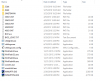
1527778973061.png
command line I am using T540P\WINUPTP64.EXE -s
Options I am using SELECT * from Win32_ComputerSystemProduct WHERE Version LIKE "%T540P%"

this is my Screen shot for Task Sequences
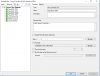
1527779241740.png


1527779282268.png
when I targeting Laptop T540P I am getting error Flash module cannot found

any help will be great

thank you
Arun
 
yes command work fine , I copy folder on T540P and I run command on command line, is falling when I am trying to use Task Sequence and error
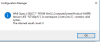
Flash module cannot be found
system cannot find the file specified


I am using similar for HP it worked fine, only for HP command is different also I googled and find few blog and they also using same confirmation and I also contacting to Lenovo but I am waiting there response

thank you
Arun
 
hello
this is the error I am getting when I run task sequence and I am only updating Lenovo T540P BIOS
and my command line is fine my source folder is fine but I have no idea why is falling

error code

Failed to run the last action prep bios execution of task sequence failed the system cannot find the file specified error 80070002 source windows

any help will be great

Thank you
Arun
 
I doubt if that WMI query is actually working, can you test that WMI Query once again ?. Because you mentioned that if you run the command manually it's working, but not when deployed as TS.
 
yes is working when I test error is 0
1528299859536.png

this is my WMI query

SELECT * FROM Win32_ComputerSystemProduct WHERE Version LIKE "%T540p%"

thank you
Arun
 
I am may use SCCM package Program to deploy Bios update I am looking command line switch to install silent and with reboot for


WINUPTP64.EXE -S silent install what is the with reboot after installation is like


WINUPTP64.EXE /S /R or WINUPTP64.EXE -S -R?

please let me know
thank you
Arun
 
I did figure it out for the reboot switch is WINUPTP64.EXE -S -R
one question I am using SCCM Package program and using same command line how to delay time for rebooting after installation please let me know command line need to use or some other place in program
so it will give users some time to save there work

thank you
Arun
 
You can use another command or Restart computer TS step to reboot with some time delay (default 60 seconds)?. I see you have restart computer step added in TS. Does that solve your purpose of delaying reboot and allowing users to save their work ?.
 
I am not using TS because Lenovo Bios will not work it is keep falling with the command I read so many post and I am used all same way and also I called Lenovo support they also not help.
so what I did I create SCCM package and used same command WINUPTP64.EXE -S -R and worked fine only thing it reboot right away and I am not able to give users time window on screen like your computer will reboot in 5 min or so..
If I use command WINUPTP64.EXE -S and package get download and user computer do restart but SCCM package monitor status come back as deployment failed but if I look client bios status it does get updated so I have to use with -r to SCCM report successfully done

so my question is on SCCM package deployment how do I display time window "computer will reboot in 5 Min" other wise I have to send email before I deploy package to client machine..

thank you for your help
Arun
 
so can I use like that

WINUPTP64.EXE -S -R 'shutdown.exe' -Parameters '-s -f -t 120 -c?

yes I did see that post and we can not use PowerShell script until get approved and is long process
thank you
Arun
 
I did try with out -R and SCCM report back is failed but I did not try with 'shutdown.exe' -Parameters '-s -f -t 120 -c, I will try so switch will be like that

WINUPTP64.EXE -S 'shutdown.exe' -f -t 120 -c?
thank you
Arun
 
Status
Not open for further replies.

Forum statistics

Threads
7,146
Messages
27,903
Members
18,206
Latest member
tducharmebn

Trending content

Back
Top