Forums on Intune, SCCM, and Windows 11

Welcome to the forums. Register a free account today to become a member! Once signed in, you'll be able to participate on this site by adding your topics and posts, as well as connect with other members through your own private inbox!

PENDING Issues with Latitude 7420 during OSD after 2107 Update

colbyratz

New Member
Messages
4
Reaction score
1
Points
3
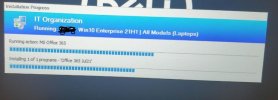
I am running into a strange issue after updating our SCCM infrastructure from 2006 to 2107. I have one TS for imaging machines, and so far all of our models complete the TS successfully with the exception of our Latitude 7420's. When they get to the install Applications stage, it will seemingly get stuck with no error or timeout.

I have tried to look online and saw something about changing application revisions by adding an administrative comment, but that has not helped. I have also tried new driver CAB files from dell, and tried different network adapters.

Has anyone ran across this issue before, or have an idea of what I might be able to try or do next?

Thank you in advance.
 
Did you try excluding that specific application if you think that is causing this issue?. Also, there is an option to continue installing other apps if there is an error, is that enabled.
 
Did you try excluding that specific application if you think that is causing this issue?. Also, there is an option to continue installing other apps if there is an error, is that enabled.
Thank you for the reply. I did attempt to eliminate office, which cause several applications afterwards to complete without issue, until I got stuck on another one further down. When I tried again it had completed that one but then failed on another. I do have the failing applications set to continue on failure, but this does not seem to be triggering at all.
 
I am running to the exact same issue! we upgraded our SCCM to 2107 and my TS is working fine on Precision 5540,5550 and 5560 also works on Latitude 7400 and ((7420 with i5CPU and 8 GB memory)) But it failed on 7420 with i7 16GB memory! TS is stacking on installing Office365 step. I moved other apps above office installation step and they all installed just fine. I left the TS run over the night it finished but I don't know how long it took, by the time I left it it was running over 2.5 hours already! with other models the TS takes 27 to 35 mins with no issues.
I created new office Application still have same issue.
uploaded the drivers from Dell\SCCM support site and injected to SCCM still having the same issue!

my attachment before creating new Office App.
 

Attachments

  • Capture01.JPG
    Capture01.JPG
    33 KB · Views: 5
Last edited:
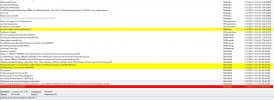
can you upload the smsts.log ?
Office installation task started at 11:24 which is not logged here for some reason. after waiting for 3 hours I force shutdown the computer and when I started, i was able to log in and Office 365 in installed successfully!! and Adobe DC, Chrome are installed (Which they are listed to be installed before office, any other application listed in my TS after\below office 365 is not installed.
not really sure what's going on and it is specific for Dell 7420 with i7 CPU, with same model but i5 everything is working just fine!
 

Attachments

  • Capture2.JPG
    Capture2.JPG
    222.6 KB · Views: 5
  • Capture3.JPG
    Capture3.JPG
    16.1 KB · Views: 5
Hello. We had the same problem since the migration to SCCM 2107 (FIX KB11121541 installed)

The problem came only when we promoted the new client, and only with new DELL Laptop, Latitude 5520 and 5420 (i5 and 16GB) and I install Windows 21H2, the old models work fine.
So, I applied the workaround found on another forum (put a restart after the installation of the SCCM client) and now all works fine
The problem was similar, the task sequence stuck about 6h but not in the same place every time and continue after .
 
Last edited:
What was the solution to this issue? Im facing the exact same issue here Dell 7420 are getting stuck on a application and doesn't move further. It seems the device is in hung state. When we disable the application it gets stuck on another step.
 

Forum statistics

Threads
7,133
Messages
27,858
Members
18,151
Latest member
TonyGTR
Back
Top