
Someoneneedshelp
Member
- Messages
- 9
- Reaction score
- 0
- Points
- 1
Hello
Thank you for reading my post. Any help would be wonderful I have tried my best with research and looking at other posts on the internet but I seem to be going around in circles. so any suggestions are welcome and appreciated
I am resetting up my test environment I am running Windows 2012 R2 and Windows 10 clients and Windows 8.1 (Windows 10 version 1903) and SCCM 2012 build 1910.
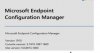
I am having an issue deploying my SCCM client to my windows hosts. Strangely the Windows Server hosts works without issue (although I did upgrade from 1902 to 1910 to support windows 10 before trying to deploy to my windows 10\8.1 clients). I think the upgrade worked - I will include some confirmation shorts at the end of my post.
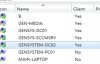
this is a screenshot of my devices window - as you can see it used to work - nothing changed in the environment
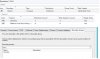
The main error I am getting in the ccmsetup log is "Failed to connect to machine policy namespace. 0x8004100e" from what I read on the internet this could be an issue with the client push account our boundaries not been setup. although I seem to get different errors - logfiles attached
I have recreated my boundaries using my IP range 10.0.0.0 (started off with domain – but that had the same issue) I have my boundary groups configured and my distribution point attached to my boundaries. I can't see any configuration settings that I have missed.
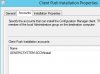
Under Client push, I have added a member of my local admin group (though GPO) that I have tested the account has local admin rights
I can connect from my SCCM server to the admin$ using both the push account.
I have turned off all firewalls - no change :-( I may but them back on
I have attached the logs from the server and two clients
Hope someone can help
Thank you for reading my post. Any help would be wonderful I have tried my best with research and looking at other posts on the internet but I seem to be going around in circles. so any suggestions are welcome and appreciated
I am resetting up my test environment I am running Windows 2012 R2 and Windows 10 clients and Windows 8.1 (Windows 10 version 1903) and SCCM 2012 build 1910.
I am having an issue deploying my SCCM client to my windows hosts. Strangely the Windows Server hosts works without issue (although I did upgrade from 1902 to 1910 to support windows 10 before trying to deploy to my windows 10\8.1 clients). I think the upgrade worked - I will include some confirmation shorts at the end of my post.
this is a screenshot of my devices window - as you can see it used to work - nothing changed in the environment
The main error I am getting in the ccmsetup log is "Failed to connect to machine policy namespace. 0x8004100e" from what I read on the internet this could be an issue with the client push account our boundaries not been setup. although I seem to get different errors - logfiles attached
I have recreated my boundaries using my IP range 10.0.0.0 (started off with domain – but that had the same issue) I have my boundary groups configured and my distribution point attached to my boundaries. I can't see any configuration settings that I have missed.
Under Client push, I have added a member of my local admin group (though GPO) that I have tested the account has local admin rights
I can connect from my SCCM server to the admin$ using both the push account.
I have turned off all firewalls - no change :-( I may but them back on
I have attached the logs from the server and two clients
Hope someone can help


