Forums on Intune, SCCM, and Windows 11

Welcome to the forums. Register a free account today to become a member! Once signed in, you'll be able to participate on this site by adding your topics and posts, as well as connect with other members through your own private inbox!

SOLVED In-place upgrade windows 11 21h2 to 22h2 fails

  • Thread starter Thread starter supriyo91
  • Start date Start date
  • Replies Replies 4
  • Views Views 6K
You do know it was a long weekend for many people? What troubleshooting have you done?
We changes the "/compat ScanOnly" to "/compat ignorewarning" in the "SETUP.EXE /ImageIndex 1 /auto Upgrade /quiet /noreboot /EULA accept /DynamicUpdate Disable /compat ScanOnly" command line .. And running it through an application model with full UI, so that the users are aware about the progress percentage. And for the detection we kept HKLM\SOFTWARE\Microsoft\Windows NT\CurrentVersion--> The build version changes once the upgrade/downgrade is completed.
 
We changes the "/compat ScanOnly" to "/compat ignorewarning" in the "SETUP.EXE /ImageIndex 1 /auto Upgrade /quiet /noreboot /EULA accept /DynamicUpdate Disable /compat ScanOnly" command line .. And running it through an application model with full UI, so that the users are aware about the progress percentage. And for the detection we kept HKLM\SOFTWARE\Microsoft\Windows NT\CurrentVersion--> The build version changes once the upgrade/downgrade is completed.
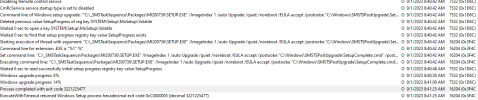
A quick Bing search of that error messages, say "The 0xc0000005 exception code may occur due to missing, outdated, or damaged system files. You can run SFC (System File Checker) utility to scan and replace damaged or faulty ones with their correct versions."
 

Forum statistics

Threads
7,128
Messages
27,834
Members
18,142
Latest member
MateuszSie

Trending content

Back
Top