Y Yen Maceo New Member Messages 1 Reaction score 0 Points 1 Jul 11, 2018 #1 Hi, there is a way to make this without decrypt the Hard Disk, via SCCM Task Secuence? I have read the atached article from Mcafee but, when the PC restart, fail to apply the upgrade. please, helpme. sorry for my english. Attachments DE7x_SCCM_UEFI_RevB.pdf DE7x_SCCM_UEFI_RevB.pdf 825.7 KB · Views: 11
Hi, there is a way to make this without decrypt the Hard Disk, via SCCM Task Secuence? I have read the atached article from Mcafee but, when the PC restart, fail to apply the upgrade. please, helpme. sorry for my english.
Prajwal Desai Forum Owner Staff member Messages 5,046 Solutions 145 Reaction score 981 Points 413 Jul 12, 2018 #2 I am really not sure about how this works, from SCCM side can you monitor smsts.log file to see the errors. Upvote 0 Downvote
I am really not sure about how this works, from SCCM side can you monitor smsts.log file to see the errors.
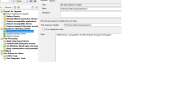
Navneet Singh New Member Messages 4 Reaction score 1 Points 3 Jan 9, 2019 #3 Set task sequence variable: OSDSetupAdditionalUpgradeOptions with Value: /ReflectDrivers "%programfiles%\McAfee\Endpoint Encryption\OSUpgrade" Add this step just before Upgrade Operating system step in the Upgrade Task Sequence. Then run the task sequence on client machine. Post that check smsts.log file, you should see something like this Executing command line: "C:\_SMSTaskSequence\Packages\XXXXXXXX\SETUP.EXE" /ImageIndex 1 /auto Upgrade /quiet /noreboot /postoobe "C:\WINDOWS\SMSTSPostUpgrade\SetupComplete.cmd" /postrollback "C:\WINDOWS\SMSTSPostUpgrade\SetupRollback.cmd" /installdrivers "C:\_SMSTaskSequence\Packages\XXXXXXXX" /DynamicUpdate Disable /ReflectDrivers "C:\Program Files\McAfee\Endpoint Encryption\OSUpgrade" Upvote 0 Downvote
Set task sequence variable: OSDSetupAdditionalUpgradeOptions with Value: /ReflectDrivers "%programfiles%\McAfee\Endpoint Encryption\OSUpgrade" Add this step just before Upgrade Operating system step in the Upgrade Task Sequence. Then run the task sequence on client machine. Post that check smsts.log file, you should see something like this Executing command line: "C:\_SMSTaskSequence\Packages\XXXXXXXX\SETUP.EXE" /ImageIndex 1 /auto Upgrade /quiet /noreboot /postoobe "C:\WINDOWS\SMSTSPostUpgrade\SetupComplete.cmd" /postrollback "C:\WINDOWS\SMSTSPostUpgrade\SetupRollback.cmd" /installdrivers "C:\_SMSTaskSequence\Packages\XXXXXXXX" /DynamicUpdate Disable /ReflectDrivers "C:\Program Files\McAfee\Endpoint Encryption\OSUpgrade"
L leedswigs72 New Member Messages 2 Reaction score 0 Points 1 May 31, 2024 #4 Hi there, i know this is quite old but i cannot get this to work, am i missing something,??? Attachments reflectdrivers.png 54.2 KB · Views: 3 Last edited: May 31, 2024 Upvote 0 Downvote