Forums on Intune, SCCM, and Windows 11

Welcome to the forums. Register a free account today to become a member! Once signed in, you'll be able to participate on this site by adding your topics and posts, as well as connect with other members through your own private inbox!

PENDING HP 800 G6 desktop pxe boot not working

  • Thread starter Thread starter Clayton136
  • Start date Start date
  • Replies Replies 5
  • Views Views 5K

Clayton136

New Member
Messages
1
Reaction score
0
Points
1
Good day

I need assistance.

I received the new HP 800 G6 Desktop that uses the NIC Intel Ethernet Connection 1217-LM

I am unable to boot into PXE with this model.

What I have done.
  1. Imported the drivers on the boot image
  2. Reloaded the boot image with the current Win PE version
  3. I have played around with secure boot settings.
only this model.

Will appreciate the assistance

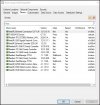
Boot_Image.jpg
 
If you try to PXE Boot this device what is happening? Do you don't get a PXE Offer? If a device is not booting please refer to SMSPXE.log. If you don't get a boot attempt in this log there might be a problem with your network configuration. If there is a different problem SMSPXE.log might point you in the right direction.
 
If you try to PXE Boot this device what is happening? Do you don't get a PXE Offer? If a device is not booting please refer to SMSPXE.log. If you don't get a boot attempt in this log there might be a problem with your network configuration. If there is a different problem SMSPXE.log might point you in the right direction.
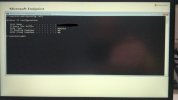
i am also facing same issue and verified smsts log IP address not assigning View attachment 4047and password prompt not getting
 
Has any of you tried contacting the HP support for this issue ?. If the PXE issue is on just 1 model of laptop, I recommend checking with HP support if they are already aware of this issue and have a fix/workaround.
 
I am having the same issue with these new EliteDesk 800 G6 Pc's. We get to the PE version on PXE boot, but get the error: "A connection to the deployment share () could not be made."
One thing I did find out is that, pressing F8 and typing into CMD, "IPCONFIG" shows me that it does not have an IP address at this point in time. When initially booting into PXE the NiC gets an address. I plug in a USB to Ethernet adaptor into the PC and do IPCONFIG once again and we get an IP address. I can even open the network share that PXE is utilizing.

These minis must have an issue with their NiCs.
 

Forum statistics

Threads
7,163
Messages
27,957
Members
18,250
Latest member
leopacio

Trending content

Back
Top