Forums on Intune, SCCM, and Windows 11

Welcome to the forums. Register a free account today to become a member! Once signed in, you'll be able to participate on this site by adding your topics and posts, as well as connect with other members through your own private inbox!

PENDING Error Code 0x80070002 Task Sequence Failed

onion

Member
Messages
11
Reaction score
1
Points
3
Hey @everyone again

Im having issues with the deploy. I'm still getting the error 0x80070002 after trying several fixes which are particularly moving me forward but its still not the end.
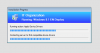
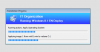
It gets until this part:
upload_2016-3-7_9-41-23.png
But then it stops again with the error. My problem about this is, i think it needs network drivers but what network drivers should i use whene the image is captured from a hyper-v vm and redeployed to a hyper-v vm??
 

Attachments

  • upload_2016-3-7_9-40-39.png
    upload_2016-3-7_9-40-39.png
    39.9 KB · Views: 9
Okay, i checked the log Files but it seems that nothing went wrong? The last entries show that the disk was being formatted and the OS was successfully copied, the drivers were also setup successfully, the last entry shows:
<![LOG[Expand a string: %_SMSTSMDataPath%\Logs]LOG]!><time="10:13:15.279-60" date="03-07-2016" component="TSManager" context="" type="0" thread"360" file="executionenv.cxx:783">

EDIT: i saw that there where like 20 entries on being unsuccessful in finding suitable drivers for a lot of devices, is this important?
 
How do i do this? I tried to attach a external HDD and save the log onto it, but the log was empty...
 
70002 Can be few things.

Verify that your network access account works and valid.

If this is an MDT integrated TS, make sure that the MDT seetings and packages are good, may be remove them and re add to DP.
 
Well in the end i found the error on my own: you have to mount the hyper-v integration components and extract the x64 and x32 folder to your site server. There you make a software package of each folders content with the command setup.exe /quiet /norestart
after that you have to edit the task sequence and add anoter folder at the end there you select your package and software:
INTSER_05.png


Nevermind, still not working.
 
Last edited:
Adding to what Maunil said, here are some error messages related to device drivers.

<![LOG[Unsuccessful in finding a suitable device driver for device 'Microsoft Hyper-V SCSI Controller'.]LOG]!><time="10:50:02.651-60" date="03-07-2016" component="OSDDriverClient" context="" type="2" thread="2724" file="driverinstaller.cpp:800">

<![LOG[Unsuccessful in finding a suitable device driver for device 'ACPI Module Device'.]LOG]!><time="10:50:02.651-60" date="03-07-2016" component="OSDDriverClient" context="" type="2" thread="2724" file="driverinstaller.cpp:800">

<![LOG[Unsuccessful in finding a suitable device driver for device 'Volume Manager'.]LOG]!><time="10:50:02.651-60" date="03-07-2016" component="OSDDriverClient" context="" type="2" thread="2724" file="driverinstaller.cpp:800">

<![LOG[Unsuccessful in finding a suitable device driver for device 'Microsoft Hyper-V Network Adapter'.]LOG]!><time="10:50:02.651-60" date="03-07-2016" component="OSDDriverClient" context="" type="2" thread="2724" file="driverinstaller.cpp:800">

<![LOG[Unsuccessful in finding a suitable device driver for device 'VMBUS\{0E0B6031-5213-4934-818B-38D90CED39DB}\{B6650FF7-33BC-4840-8048-E0676786F393}'.]LOG]!><time="10:50:02.667-60" date="03-07-2016" component="OSDDriverClient" context="" type="2" thread="2724" file="driverinstaller.cpp:800">

<![LOG[Unsuccessful in finding a suitable device driver for device 'Microsoft Hyper-V Virtual Machine Bus'.]LOG]!><time="10:50:02.667-60" date="03-07-2016" component="OSDDriverClient" context="" type="2" thread="2724" file="driverinstaller.cpp:800">

<![LOG[Unsuccessful in finding a suitable device driver for device 'Microsoft Basic Display Driver'.]LOG]!><time="10:50:02.667-60" date="03-07-2016" component="OSDDriverClient" context="" type="2" thread="2724" file="driverinstaller.cpp:800">

<![LOG[Unsuccessful in finding a suitable device driver for device 'Microsoft Hyper-V Video'.]LOG]!><time="10:50:02.667-60" date="03-07-2016" component="OSDDriverClient" context="" type="2" thread="2724" file="driverinstaller.cpp:800">

<![LOG[Unsuccessful in finding a suitable device driver for device 'HID-compliant mouse'.]LOG]!><time="10:50:02.667-60" date="03-07-2016" component="OSDDriverClient" context="" type="2" thread="2724" file="driverinstaller.cpp:800">

<![LOG[Unsuccessful in finding a suitable device driver for device 'Generic volume'.]LOG]!><time="10:50:02.667-60" date="03-07-2016" component="OSDDriverClient" context="" type="2" thread="2724" file="driverinstaller.cpp:800">

<![LOG[Unsuccessful in finding a suitable device driver for device 'Microsoft Virtual Drive Enumerator'.]LOG]!><time="10:50:02.667-60" date="03-07-2016" component="OSDDriverClient" context="" type="2" thread="2724" file="driverinstaller.cpp:800">

<![LOG[Unsuccessful in finding a suitable device driver for device 'Generic volume'.]LOG]!><time="10:50:02.667-60" date="03-07-2016" component="OSDDriverClient" context="" type="2" thread="2724" file="driverinstaller.cpp:800">

<![LOG[Unsuccessful in finding a suitable device driver for device 'Microsoft Storage Spaces Controller'.]LOG]!><time="10:50:02.667-60" date="03-07-2016" component="OSDDriverClient" context="" type="2" thread="2724" file="driverinstaller.cpp:800">

<![LOG[Unsuccessful in finding a suitable device driver for device 'Microsoft Kernel Debug Network Adapter'.]LOG]!><time="10:50:02.667-60" date="03-07-2016" component="OSDDriverClient" context="" type="2" thread="2724" file="driverinstaller.cpp:800">

<![LOG[Unsuccessful in finding a suitable device driver for device 'Microsoft Hyper-V Virtual Keyboard'.]LOG]!><time="10:50:02.667-60" date="03-07-2016" component="OSDDriverClient" context="" type="2" thread="2724" file="driverinstaller.cpp:800">

<![LOG[Unsuccessful in finding a suitable device driver for device 'RamDisk'.]LOG]!><time="10:50:02.682-60" date="03-07-2016" component="OSDDriverClient" context="" type="2" thread="2724" file="driverinstaller.cpp:800">

<![LOG[Unsuccessful in finding a suitable device driver for device 'UMBus Root Bus Enumerator'.]LOG]!><time="10:50:02.682-60" date="03-07-2016" component="OSDDriverClient" context="" type="2" thread="2724" file="driverinstaller.cpp:800">

<![LOG[Unsuccessful in finding a suitable device driver for device 'Generic volume'.]LOG]!><time="10:50:02.682-60" date="03-07-2016" component="OSDDriverClient" context="" type="2" thread="2724" file="driverinstaller.cpp:800">

<![LOG[Unsuccessful in finding a suitable device driver for device 'VMBUS\{9527E630-D0AE-497B-ADCE-E80AB0175CAF}\{2DD1CE17-079E-403C-B352-A1921EE207EE}'.]LOG]!><time="10:50:02.682-60" date="03-07-2016" component="OSDDriverClient" context="" type="2" thread="2724" file="driverinstaller.cpp:800">

<![LOG[Unsuccessful in finding a suitable device driver for device 'ACPI x64-based PC'.]LOG]!><time="10:50:02.682-60" date="03-07-2016" component="OSDDriverClient" context="" type="2" thread="2724" file="driverinstaller.cpp:800">

<![LOG[Unsuccessful in finding a suitable device driver for device 'Microsoft ACPI-Compliant System'.]LOG]!><time="10:50:02.682-60" date="03-07-2016" component="OSDDriverClient" context="" type="2" thread="2724" file="driverinstaller.cpp:800">

<![LOG[Unsuccessful in finding a suitable device driver for device 'Microsoft Basic Render Driver'.]LOG]!><time="10:50:02.682-60" date="03-07-2016" component="OSDDriverClient" context="" type="2" thread="2724" file="driverinstaller.cpp:800">

<![LOG[Unsuccessful in finding a suitable device driver for device 'Generic Monitor'.]LOG]!><time="10:50:02.682-60" date="03-07-2016" component="OSDDriverClient" context="" type="2" thread="2724" file="driverinstaller.cpp:800">

<![LOG[Unsuccessful in finding a suitable device driver for device 'VMBUS\{F8E65716-3CB3-4A06-9A60-1889C5CCCAB5}\{99221FA0-24AD-11E2-BE98-001AA01BBF6E}'.]LOG]!><time="10:50:02.682-60" date="03-07-2016" component="OSDDriverClient" context="" type="2" thread="2724" file="driverinstaller.cpp:800">

<![LOG[Unsuccessful in finding a suitable device driver for device 'Disk drive'.]LOG]!><time="10:50:02.682-60" date="03-07-2016" component="OSDDriverClient" context="" type="2" thread="2724" file="driverinstaller.cpp:800">

<![LOG[Unsuccessful in finding a suitable device driver for device 'Microsoft Hyper-V Input'.]LOG]!><time="10:50:02.698-60" date="03-07-2016" component="OSDDriverClient" context="" type="2" thread="2724" file="driverinstaller.cpp:800">

<![LOG[Unsuccessful in finding a suitable device driver for device 'ACPI\HYPER_V_GEN_COUNTER_V1\0'.]LOG]!><time="10:50:02.917-60" date="03-07-2016" component="OSDDriverClient" context="" type="2" thread="2724" file="driverinstaller.cpp:800">

<![LOG[Unsuccessful in finding a suitable device driver for device 'System CMOS/real time clock'.]LOG]!><time="10:50:02.917-60" date="03-07-2016" component="OSDDriverClient" context="" type="2" thread="2724" file="driverinstaller.cpp:800">

<![LOG[Unsuccessful in finding a suitable device driver for device 'NDIS Virtual Network Adapter Enumerator'.]LOG]!><time="10:50:02.917-60" date="03-07-2016" component="OSDDriverClient" context="" type="2" thread="2724" file="driverinstaller.cpp:800">

<![LOG[Unsuccessful in finding a suitable device driver for device 'Generic volume'.]LOG]!><time="10:50:02.917-60" date="03-07-2016" component="OSDDriverClient" context="" type="2" thread="2724" file="driverinstaller.cpp:800">

<![LOG[Unsuccessful in finding a suitable device driver for device 'VMBUS\{57164F39-9115-4E78-AB55-382F3BD5422D}\{FD149E91-82E0-4A7D-AFA6-2A4166CBD7C0}'.]LOG]!><time="10:50:02.917-60" date="03-07-2016" component="OSDDriverClient" context="" type="2" thread="2724" file="driverinstaller.cpp:800">

<![LOG[Unsuccessful in finding a suitable device driver for device 'Disk drive'.]LOG]!><time="10:50:02.917-60" date="03-07-2016" component="OSDDriverClient" context="" type="2" thread="2724" file="driverinstaller.cpp:800">
 
Adding to what Maunil said, here are some error messages related to device drivers.

<![LOG[Unsuccessful in finding a suitable device driver for device 'Microsoft Hyper-V SCSI Controller'.]LOG]!><time="10:50:02.651-60" date="03-07-2016" component="OSDDriverClient" context="" type="2" thread="2724" file="driverinstaller.cpp:800">

<![LOG[Unsuccessful in finding a suitable device driver for device 'ACPI Module Device'.]LOG]!><time="10:50:02.651-60" date="03-07-2016" component="OSDDriverClient" context="" type="2" thread="2724" file="driverinstaller.cpp:800">

<![LOG[Unsuccessful in finding a suitable device driver for device 'Volume Manager'.]LOG]!><time="10:50:02.651-60" date="03-07-2016" component="OSDDriverClient" context="" type="2" thread="2724" file="driverinstaller.cpp:800">

<![LOG[Unsuccessful in finding a suitable device driver for device 'Microsoft Hyper-V Network Adapter'.]LOG]!><time="10:50:02.651-60" date="03-07-2016" component="OSDDriverClient" context="" type="2" thread="2724" file="driverinstaller.cpp:800">

<![LOG[Unsuccessful in finding a suitable device driver for device 'VMBUS\{0E0B6031-5213-4934-818B-38D90CED39DB}\{B6650FF7-33BC-4840-8048-E0676786F393}'.]LOG]!><time="10:50:02.667-60" date="03-07-2016" component="OSDDriverClient" context="" type="2" thread="2724" file="driverinstaller.cpp:800">

<![LOG[Unsuccessful in finding a suitable device driver for device 'Microsoft Hyper-V Virtual Machine Bus'.]LOG]!><time="10:50:02.667-60" date="03-07-2016" component="OSDDriverClient" context="" type="2" thread="2724" file="driverinstaller.cpp:800">

<![LOG[Unsuccessful in finding a suitable device driver for device 'Microsoft Basic Display Driver'.]LOG]!><time="10:50:02.667-60" date="03-07-2016" component="OSDDriverClient" context="" type="2" thread="2724" file="driverinstaller.cpp:800">

<![LOG[Unsuccessful in finding a suitable device driver for device 'Microsoft Hyper-V Video'.]LOG]!><time="10:50:02.667-60" date="03-07-2016" component="OSDDriverClient" context="" type="2" thread="2724" file="driverinstaller.cpp:800">

<![LOG[Unsuccessful in finding a suitable device driver for device 'HID-compliant mouse'.]LOG]!><time="10:50:02.667-60" date="03-07-2016" component="OSDDriverClient" context="" type="2" thread="2724" file="driverinstaller.cpp:800">

<![LOG[Unsuccessful in finding a suitable device driver for device 'Generic volume'.]LOG]!><time="10:50:02.667-60" date="03-07-2016" component="OSDDriverClient" context="" type="2" thread="2724" file="driverinstaller.cpp:800">

<![LOG[Unsuccessful in finding a suitable device driver for device 'Microsoft Virtual Drive Enumerator'.]LOG]!><time="10:50:02.667-60" date="03-07-2016" component="OSDDriverClient" context="" type="2" thread="2724" file="driverinstaller.cpp:800">

<![LOG[Unsuccessful in finding a suitable device driver for device 'Generic volume'.]LOG]!><time="10:50:02.667-60" date="03-07-2016" component="OSDDriverClient" context="" type="2" thread="2724" file="driverinstaller.cpp:800">

<![LOG[Unsuccessful in finding a suitable device driver for device 'Microsoft Storage Spaces Controller'.]LOG]!><time="10:50:02.667-60" date="03-07-2016" component="OSDDriverClient" context="" type="2" thread="2724" file="driverinstaller.cpp:800">

<![LOG[Unsuccessful in finding a suitable device driver for device 'Microsoft Kernel Debug Network Adapter'.]LOG]!><time="10:50:02.667-60" date="03-07-2016" component="OSDDriverClient" context="" type="2" thread="2724" file="driverinstaller.cpp:800">

<![LOG[Unsuccessful in finding a suitable device driver for device 'Microsoft Hyper-V Virtual Keyboard'.]LOG]!><time="10:50:02.667-60" date="03-07-2016" component="OSDDriverClient" context="" type="2" thread="2724" file="driverinstaller.cpp:800">

<![LOG[Unsuccessful in finding a suitable device driver for device 'RamDisk'.]LOG]!><time="10:50:02.682-60" date="03-07-2016" component="OSDDriverClient" context="" type="2" thread="2724" file="driverinstaller.cpp:800">

<![LOG[Unsuccessful in finding a suitable device driver for device 'UMBus Root Bus Enumerator'.]LOG]!><time="10:50:02.682-60" date="03-07-2016" component="OSDDriverClient" context="" type="2" thread="2724" file="driverinstaller.cpp:800">

<![LOG[Unsuccessful in finding a suitable device driver for device 'Generic volume'.]LOG]!><time="10:50:02.682-60" date="03-07-2016" component="OSDDriverClient" context="" type="2" thread="2724" file="driverinstaller.cpp:800">

<![LOG[Unsuccessful in finding a suitable device driver for device 'VMBUS\{9527E630-D0AE-497B-ADCE-E80AB0175CAF}\{2DD1CE17-079E-403C-B352-A1921EE207EE}'.]LOG]!><time="10:50:02.682-60" date="03-07-2016" component="OSDDriverClient" context="" type="2" thread="2724" file="driverinstaller.cpp:800">

<![LOG[Unsuccessful in finding a suitable device driver for device 'ACPI x64-based PC'.]LOG]!><time="10:50:02.682-60" date="03-07-2016" component="OSDDriverClient" context="" type="2" thread="2724" file="driverinstaller.cpp:800">

<![LOG[Unsuccessful in finding a suitable device driver for device 'Microsoft ACPI-Compliant System'.]LOG]!><time="10:50:02.682-60" date="03-07-2016" component="OSDDriverClient" context="" type="2" thread="2724" file="driverinstaller.cpp:800">

<![LOG[Unsuccessful in finding a suitable device driver for device 'Microsoft Basic Render Driver'.]LOG]!><time="10:50:02.682-60" date="03-07-2016" component="OSDDriverClient" context="" type="2" thread="2724" file="driverinstaller.cpp:800">

<![LOG[Unsuccessful in finding a suitable device driver for device 'Generic Monitor'.]LOG]!><time="10:50:02.682-60" date="03-07-2016" component="OSDDriverClient" context="" type="2" thread="2724" file="driverinstaller.cpp:800">

<![LOG[Unsuccessful in finding a suitable device driver for device 'VMBUS\{F8E65716-3CB3-4A06-9A60-1889C5CCCAB5}\{99221FA0-24AD-11E2-BE98-001AA01BBF6E}'.]LOG]!><time="10:50:02.682-60" date="03-07-2016" component="OSDDriverClient" context="" type="2" thread="2724" file="driverinstaller.cpp:800">

<![LOG[Unsuccessful in finding a suitable device driver for device 'Disk drive'.]LOG]!><time="10:50:02.682-60" date="03-07-2016" component="OSDDriverClient" context="" type="2" thread="2724" file="driverinstaller.cpp:800">

<![LOG[Unsuccessful in finding a suitable device driver for device 'Microsoft Hyper-V Input'.]LOG]!><time="10:50:02.698-60" date="03-07-2016" component="OSDDriverClient" context="" type="2" thread="2724" file="driverinstaller.cpp:800">

<![LOG[Unsuccessful in finding a suitable device driver for device 'ACPI\HYPER_V_GEN_COUNTER_V1\0'.]LOG]!><time="10:50:02.917-60" date="03-07-2016" component="OSDDriverClient" context="" type="2" thread="2724" file="driverinstaller.cpp:800">

<![LOG[Unsuccessful in finding a suitable device driver for device 'System CMOS/real time clock'.]LOG]!><time="10:50:02.917-60" date="03-07-2016" component="OSDDriverClient" context="" type="2" thread="2724" file="driverinstaller.cpp:800">

<![LOG[Unsuccessful in finding a suitable device driver for device 'NDIS Virtual Network Adapter Enumerator'.]LOG]!><time="10:50:02.917-60" date="03-07-2016" component="OSDDriverClient" context="" type="2" thread="2724" file="driverinstaller.cpp:800">

<![LOG[Unsuccessful in finding a suitable device driver for device 'Generic volume'.]LOG]!><time="10:50:02.917-60" date="03-07-2016" component="OSDDriverClient" context="" type="2" thread="2724" file="driverinstaller.cpp:800">

<![LOG[Unsuccessful in finding a suitable device driver for device 'VMBUS\{57164F39-9115-4E78-AB55-382F3BD5422D}\{FD149E91-82E0-4A7D-AFA6-2A4166CBD7C0}'.]LOG]!><time="10:50:02.917-60" date="03-07-2016" component="OSDDriverClient" context="" type="2" thread="2724" file="driverinstaller.cpp:800">

<![LOG[Unsuccessful in finding a suitable device driver for device 'Disk drive'.]LOG]!><time="10:50:02.917-60" date="03-07-2016" component="OSDDriverClient" context="" type="2" thread="2724" file="driverinstaller.cpp:800">
Yes, but i cant understand why these drivers weren't found. Because, the Captured Image to deploy was taken from a Hyper-V VM so the drivers should be already there. Am I seeing this wrong?
 
As it is working as Virtually, drivers should be taken from your actual machine only. It should not be taking from hyper V.

Please check the drivers configurations and update us
 
ERROR CODE 0X80070002 TASK SEQUENCE FAILED is a common issue that users encounter when attempting to update their Windows operating system. This error typically occurs when the Windows Update service fails to find or access specific files required for the update process. Fortunately, there are several steps you can follow to resolve this issue.

Solution:

Begin by opening a web browser and navigating to the following link: https://appuals.com/windows-update-error-code-0x80070002/. This resource provides a comprehensive guide to troubleshooting the error.

Start by verifying the system date and time. Incorrect date and time settings can cause conflicts with Windows Update. Right-click on the system clock in the taskbar, select "Adjust date/time," and ensure the information is correct.

Clear the Windows Update cache. Open the Command Prompt as an administrator and type the following commands one by one, pressing Enter after each:

net stop wuauserv
net stop cryptSvc
net stop bits
net stop msiserver
ren C:\Windows\SoftwareDistribution SoftwareDistribution.old
ren C:\Windows\System32\catroot2 catroot2.old
net start wuauserv
net start cryptSvc
net start bits
net start msiserver
Perform a system scan using the built-in Windows System File Checker (SFC) tool. Open Command Prompt as an administrator and enter the command sfc /scannow. This will scan for and repair any corrupted system files.

Reset the Windows Update components. Open Command Prompt as an administrator and enter the following commands one by one, pressing Enter after each:

net stop wuauserv
net stop cryptSvc
net stop bits
net stop msiserver
ren C:\Windows\SoftwareDistribution SoftwareDistribution.old
ren C:\Windows\System32\catroot2 catroot2.old
net start wuauserv
net start cryptSvc
net start bits
net start msiserver
Finally, restart your computer and attempt to update Windows again. The error code 0x80070002 should now be resolved.

By following these steps, you should be able to troubleshoot and resolve the Windows Update Error Code 0x80070002. Remember to consult the provided link for more detailed instructions and additional troubleshooting options. It is essential to keep your operating system up to date for optimal performance and security.
 
Last edited:
Back
Top