Forums on Intune, SCCM, and Windows 11

Welcome to the forums. Register a free account today to become a member! Once signed in, you'll be able to participate on this site by adding your topics and posts, as well as connect with other members through your own private inbox!

SOLVED Error 0x80004005 Failed to get DP locations as the expected version from MP

Status
Not open for further replies.

Nabil Jamil

Member
Messages
5
Reaction score
0
Points
1
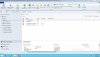
I have followed all the instructions and deployed configuration manager. I have tried both methods client push method and manual method to install ccm.exe of stillthe client machine is not showing active connection. Please Suggest... Thanks
 

Attachments

  • No Active Client.jpg
    No Active Client.jpg
    191.6 KB · Views: 82
  • Client Machine log.jpg
    Client Machine log.jpg
    377.5 KB · Views: 97
From the ccm.log screenshot I see that the client agent setup files have been copied to the client machine and ccmsetup service has been started. Can you upload /attach the ccm.log file ?. Need to check if there are more errors in the log file.
 
okay, from the log file I see that ccm process did not find an existing client agent on the target systems. We will move on to the client machine, you need to check ccmsetup logs on the clients. Let me know if you see any errors there.
 
The error in the screenshot is

WNetAddConnection2 failed (LOGON32_LOGON_NEW_CREDENTIALS) using account Arham\administrator (00000043)

The only thing to add is that the error code 43 (hex) = "The network name cannot be found." Thus, this is a name resolution issue that you need to fix the DNS related issue. I would also suggest you to configure a separate account for client push installation.
 
Status
Not open for further replies.
Back
Top