Forums on Intune, SCCM, and Windows 11

Welcome to the forums. Register a free account today to become a member! Once signed in, you'll be able to participate on this site by adding your topics and posts, as well as connect with other members through your own private inbox!

SOLVED easiest way to have SCCM report the value of a registry key on all systems?

  • Thread starter Thread starter e771ca
  • Start date Start date
  • Replies Replies 4
  • Views Views 19K

e771ca

Member
Messages
9
Reaction score
0
Points
1
Hi everyone,

I am wondering if there is a way to have SCCM tell me the value of a registry key on all systems.

For example, return a list of systems that don't have the value "NoAutoUpdate" reg_dword vault is 1 in

"HKEY_LOCAL_MACHINE\SOFTWARE\POLICIES\MICROSOFT\WINDOWS\WINDOWSUPDATE\AU

Thanks

Tim
 
Hi everyone,

I am wondering if there is a way to have SCCM tell me the value of a registry key on all systems.

For example, return a list of systems that don't have the value "NoAutoUpdate" reg_dword vault is 1 in

"HKEY_LOCAL_MACHINE\SOFTWARE\POLICIES\MICROSOFT\WINDOWS\WINDOWSUPDATE\AU

Thanks

Tim

put the below powershell command in a configuration item and check the value for 1.
deploy to your assest

get-itempropertyvalue 'HKLM:\SOFTWARE\POLICIES\MICROSOFT\WINDOWS\WINDOWSUPDATE\Au' -name "NoAutoUpdate"
 
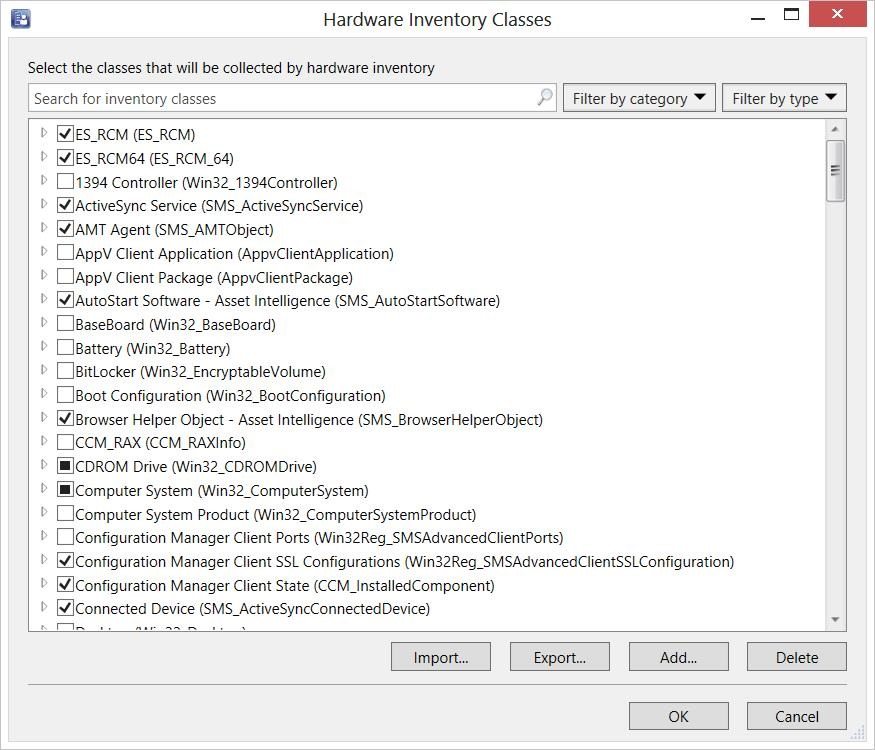
To get sccm to reference a particular registry key, you need to import the value into the MOF file. once you do that you can use it as reference for collections /deployments.
below is the reference I have found / used with success.
 
Back
Top