Forums on Intune, SCCM, and Windows 11

Welcome to the forums. Register a free account today to become a member! Once signed in, you'll be able to participate on this site by adding your topics and posts, as well as connect with other members through your own private inbox!

PENDING delete expire update from all Software updates

  • Thread starter Thread starter orabi
  • Start date Start date
  • Replies Replies 11
  • Views Views 4K

orabi

New Member
Messages
4
Reaction score
1
Points
3
Hello,
All of the sudden i found the SCCM brought some update that is not required and already expired with different language package .
I tried to delete these update by using WSUS maintenance and supersedence rule , and still the issue.
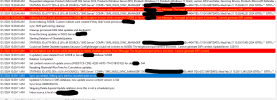
1707223582411.png
 
thank you for replying, Yes i performed the sync. but i still see all the update expired and even some ADR update converted to expired
 
If they still show, it was a delta sync, you need to force a full sync. Remember it will take hours to complete too.
 
HI Garth,
I forced a full update in the end I got this message
"Skipping Delete Expired Update relations since this is not a scheduled sync."
 
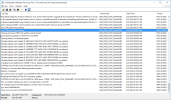
Hmm, this seems on par with the issue we've recently been having. That message displays for us in the wsyncmgr log as well. 1708531010654.png
 
The screenshot clearly show 7k of us are clean up.... So.... Is the su still in ConfigMgr? Btw what is you expired su removal setting set too?
Yes its still in ConfigMgr...
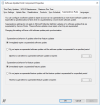
I have set it to Immediately expire (for both options

Rule.PNG)
 

Forum statistics

Threads
7,136
Messages
27,873
Members
18,159
Latest member
jordysmits
Back
Top