
Joe Clough
Active Member
- Messages
- 39
- Reaction score
- 2
- Points
- 8
Hi all, Ive upgraded from 2010 to 2103 and since not been able to look at any reports (Monitoring/reports/) as I get the below messages, thoughts?
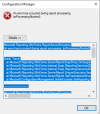
An error has occurred during report processing. ---> Microsoft.ReportingServices.ReportProcessing.ProcessingAbortedException: An error has occurred during report processing. ---> Microsoft.ReportingServices.ReportProcessing.ReportProcessingException: Cannot impersonate user for data source 'DataSource1'. ---> Microsoft.ReportingServices.Diagnostics.Utilities.LogonFailedException: Log on failed. Ensure the user name and password are correct. ---> System.Exception: For more information about this error navigate to the report server on the local server machine, or enable remote errors
-------------------------------
Microsoft.ConfigurationManagement.ManagementProvider.SmsException
An error has occurred during report processing.
Stack Trace:
at Microsoft.ConfigurationManagement.AdminConsole.SrsReporting.ParameterPresenter.GetParameters()
at Microsoft.ConfigurationManagement.AdminConsole.SrsReporting.ParameterPresenter.LoadParameters(IReport report, Collection`1 navigationParameters, IResultObject resultObject)
at Microsoft.ConfigurationManagement.AdminConsole.SrsReporting.ReportViewerPresenter.Worker_DoWork(Object sender, DoWorkEventArgs e)
at System.ComponentModel.BackgroundWorker.OnDoWork(DoWorkEventArgs e)
at System.ComponentModel.BackgroundWorker.WorkerThreadStart(Object argument)
-------------------------------
System.Web.Services.Protocols.SoapException
An error has occurred during report processing. ---> Microsoft.ReportingServices.ReportProcessing.ProcessingAbortedException: An error has occurred during report processing. ---> Microsoft.ReportingServices.ReportProcessing.ReportProcessingException: Cannot impersonate user for data source 'DataSource1'. ---> Microsoft.ReportingServices.Diagnostics.Utilities.LogonFailedException: Log on failed. Ensure the user name and password are correct. ---> System.Exception: For more information about this error navigate to the report server on the local server machine, or enable remote errors
Stack Trace:
at Microsoft.ConfigurationManagement.AdminConsole.SrsReporting.ParameterPresenter.GetParameters()
at Microsoft.ConfigurationManagement.AdminConsole.SrsReporting.ParameterPresenter.LoadParameters(IReport report, Collection`1 navigationParameters, IResultObject resultObject)
at Microsoft.ConfigurationManagement.AdminConsole.SrsReporting.ReportViewerPresenter.Worker_DoWork(Object sender, DoWorkEventArgs e)
at System.ComponentModel.BackgroundWorker.OnDoWork(DoWorkEventArgs e)
at System.ComponentModel.BackgroundWorker.WorkerThreadStart(Object argument)
-------------------------------
===================================================================
Microsoft.Reporting.WinForms.ReportServerException
An error has occurred during report processing. (rsProcessingAborted)
Stack Trace:
at Microsoft.Reporting.WinForms.ServerReportSoapProxy.OnSoapException(SoapException e)
at Microsoft.Reporting.WinForms.Internal.Soap.ReportingServices2005.Execution.RSExecutionConnection.ProxyMethodInvocation.Execute[TReturn](RSExecutionConnection connection, ProxyMethod`1 initialMethod, ProxyMethod`1 retryMethod)
at Microsoft.Reporting.WinForms.Internal.Soap.ReportingServices2005.Execution.RSExecutionConnection.LoadReport(String Report, String HistoryID)
at Microsoft.Reporting.WinForms.ServerReport.EnsureExecutionSession()
at Microsoft.Reporting.WinForms.ServerReport.SetParameters(IEnumerable`1 parameters)
at Microsoft.ConfigurationManagement.AdminConsole.SrsReporting.ReportViewerWindowsForms.SetParameterValues_DoWork(Object sender, DoWorkEventArgs e)
-------------------------------
Microsoft.Reporting.WinForms.ReportServerException
Cannot impersonate user for data source 'DataSource1'. (rsErrorImpersonatingUser)
Stack Trace:
at Microsoft.Reporting.WinForms.ServerReportSoapProxy.OnSoapException(SoapException e)
at Microsoft.Reporting.WinForms.Internal.Soap.ReportingServices2005.Execution.RSExecutionConnection.ProxyMethodInvocation.Execute[TReturn](RSExecutionConnection connection, ProxyMethod`1 initialMethod, ProxyMethod`1 retryMethod)
at Microsoft.Reporting.WinForms.Internal.Soap.ReportingServices2005.Execution.RSExecutionConnection.LoadReport(String Report, String HistoryID)
at Microsoft.Reporting.WinForms.ServerReport.EnsureExecutionSession()
at Microsoft.Reporting.WinForms.ServerReport.SetParameters(IEnumerable`1 parameters)
at Microsoft.ConfigurationManagement.AdminConsole.SrsReporting.ReportViewerWindowsForms.SetParameterValues_DoWork(Object sender, DoWorkEventArgs e)
-------------------------------
Microsoft.Reporting.WinForms.ReportServerException
Log on failed. Ensure the user name and password are correct. (rsLogonFailed)
Stack Trace:
at Microsoft.Reporting.WinForms.ServerReportSoapProxy.OnSoapException(SoapException e)
at Microsoft.Reporting.WinForms.Internal.Soap.ReportingServices2005.Execution.RSExecutionConnection.ProxyMethodInvocation.Execute[TReturn](RSExecutionConnection connection, ProxyMethod`1 initialMethod, ProxyMethod`1 retryMethod)
at Microsoft.Reporting.WinForms.Internal.Soap.ReportingServices2005.Execution.RSExecutionConnection.LoadReport(String Report, String HistoryID)
at Microsoft.Reporting.WinForms.ServerReport.EnsureExecutionSession()
at Microsoft.Reporting.WinForms.ServerReport.SetParameters(IEnumerable`1 parameters)
at Microsoft.ConfigurationManagement.AdminConsole.SrsReporting.ReportViewerWindowsForms.SetParameterValues_DoWork(Object sender, DoWorkEventArgs e)
-------------------------------
Microsoft.Reporting.WinForms.ReportServerException
For more information about this error navigate to the report server on the local server machine, or enable remote errors
Stack Trace:
at Microsoft.Reporting.WinForms.ServerReportSoapProxy.OnSoapException(SoapException e)
at Microsoft.Reporting.WinForms.Internal.Soap.ReportingServices2005.Execution.RSExecutionConnection.ProxyMethodInvocation.Execute[TReturn](RSExecutionConnection connection, ProxyMethod`1 initialMethod, ProxyMethod`1 retryMethod)
at Microsoft.Reporting.WinForms.Internal.Soap.ReportingServices2005.Execution.RSExecutionConnection.LoadReport(String Report, String HistoryID)
at Microsoft.Reporting.WinForms.ServerReport.EnsureExecutionSession()
at Microsoft.Reporting.WinForms.ServerReport.SetParameters(IEnumerable`1 parameters)
at Microsoft.ConfigurationManagement.AdminConsole.SrsReporting.ReportViewerWindowsForms.SetParameterValues_DoWork(Object sender, DoWorkEventArgs e)
-------------------------------
An error has occurred during report processing. ---> Microsoft.ReportingServices.ReportProcessing.ProcessingAbortedException: An error has occurred during report processing. ---> Microsoft.ReportingServices.ReportProcessing.ReportProcessingException: Cannot impersonate user for data source 'DataSource1'. ---> Microsoft.ReportingServices.Diagnostics.Utilities.LogonFailedException: Log on failed. Ensure the user name and password are correct. ---> System.Exception: For more information about this error navigate to the report server on the local server machine, or enable remote errors
-------------------------------
Microsoft.ConfigurationManagement.ManagementProvider.SmsException
An error has occurred during report processing.
Stack Trace:
at Microsoft.ConfigurationManagement.AdminConsole.SrsReporting.ParameterPresenter.GetParameters()
at Microsoft.ConfigurationManagement.AdminConsole.SrsReporting.ParameterPresenter.LoadParameters(IReport report, Collection`1 navigationParameters, IResultObject resultObject)
at Microsoft.ConfigurationManagement.AdminConsole.SrsReporting.ReportViewerPresenter.Worker_DoWork(Object sender, DoWorkEventArgs e)
at System.ComponentModel.BackgroundWorker.OnDoWork(DoWorkEventArgs e)
at System.ComponentModel.BackgroundWorker.WorkerThreadStart(Object argument)
-------------------------------
System.Web.Services.Protocols.SoapException
An error has occurred during report processing. ---> Microsoft.ReportingServices.ReportProcessing.ProcessingAbortedException: An error has occurred during report processing. ---> Microsoft.ReportingServices.ReportProcessing.ReportProcessingException: Cannot impersonate user for data source 'DataSource1'. ---> Microsoft.ReportingServices.Diagnostics.Utilities.LogonFailedException: Log on failed. Ensure the user name and password are correct. ---> System.Exception: For more information about this error navigate to the report server on the local server machine, or enable remote errors
Stack Trace:
at Microsoft.ConfigurationManagement.AdminConsole.SrsReporting.ParameterPresenter.GetParameters()
at Microsoft.ConfigurationManagement.AdminConsole.SrsReporting.ParameterPresenter.LoadParameters(IReport report, Collection`1 navigationParameters, IResultObject resultObject)
at Microsoft.ConfigurationManagement.AdminConsole.SrsReporting.ReportViewerPresenter.Worker_DoWork(Object sender, DoWorkEventArgs e)
at System.ComponentModel.BackgroundWorker.OnDoWork(DoWorkEventArgs e)
at System.ComponentModel.BackgroundWorker.WorkerThreadStart(Object argument)
-------------------------------
===================================================================
Microsoft.Reporting.WinForms.ReportServerException
An error has occurred during report processing. (rsProcessingAborted)
Stack Trace:
at Microsoft.Reporting.WinForms.ServerReportSoapProxy.OnSoapException(SoapException e)
at Microsoft.Reporting.WinForms.Internal.Soap.ReportingServices2005.Execution.RSExecutionConnection.ProxyMethodInvocation.Execute[TReturn](RSExecutionConnection connection, ProxyMethod`1 initialMethod, ProxyMethod`1 retryMethod)
at Microsoft.Reporting.WinForms.Internal.Soap.ReportingServices2005.Execution.RSExecutionConnection.LoadReport(String Report, String HistoryID)
at Microsoft.Reporting.WinForms.ServerReport.EnsureExecutionSession()
at Microsoft.Reporting.WinForms.ServerReport.SetParameters(IEnumerable`1 parameters)
at Microsoft.ConfigurationManagement.AdminConsole.SrsReporting.ReportViewerWindowsForms.SetParameterValues_DoWork(Object sender, DoWorkEventArgs e)
-------------------------------
Microsoft.Reporting.WinForms.ReportServerException
Cannot impersonate user for data source 'DataSource1'. (rsErrorImpersonatingUser)
Stack Trace:
at Microsoft.Reporting.WinForms.ServerReportSoapProxy.OnSoapException(SoapException e)
at Microsoft.Reporting.WinForms.Internal.Soap.ReportingServices2005.Execution.RSExecutionConnection.ProxyMethodInvocation.Execute[TReturn](RSExecutionConnection connection, ProxyMethod`1 initialMethod, ProxyMethod`1 retryMethod)
at Microsoft.Reporting.WinForms.Internal.Soap.ReportingServices2005.Execution.RSExecutionConnection.LoadReport(String Report, String HistoryID)
at Microsoft.Reporting.WinForms.ServerReport.EnsureExecutionSession()
at Microsoft.Reporting.WinForms.ServerReport.SetParameters(IEnumerable`1 parameters)
at Microsoft.ConfigurationManagement.AdminConsole.SrsReporting.ReportViewerWindowsForms.SetParameterValues_DoWork(Object sender, DoWorkEventArgs e)
-------------------------------
Microsoft.Reporting.WinForms.ReportServerException
Log on failed. Ensure the user name and password are correct. (rsLogonFailed)
Stack Trace:
at Microsoft.Reporting.WinForms.ServerReportSoapProxy.OnSoapException(SoapException e)
at Microsoft.Reporting.WinForms.Internal.Soap.ReportingServices2005.Execution.RSExecutionConnection.ProxyMethodInvocation.Execute[TReturn](RSExecutionConnection connection, ProxyMethod`1 initialMethod, ProxyMethod`1 retryMethod)
at Microsoft.Reporting.WinForms.Internal.Soap.ReportingServices2005.Execution.RSExecutionConnection.LoadReport(String Report, String HistoryID)
at Microsoft.Reporting.WinForms.ServerReport.EnsureExecutionSession()
at Microsoft.Reporting.WinForms.ServerReport.SetParameters(IEnumerable`1 parameters)
at Microsoft.ConfigurationManagement.AdminConsole.SrsReporting.ReportViewerWindowsForms.SetParameterValues_DoWork(Object sender, DoWorkEventArgs e)
-------------------------------
Microsoft.Reporting.WinForms.ReportServerException
For more information about this error navigate to the report server on the local server machine, or enable remote errors
Stack Trace:
at Microsoft.Reporting.WinForms.ServerReportSoapProxy.OnSoapException(SoapException e)
at Microsoft.Reporting.WinForms.Internal.Soap.ReportingServices2005.Execution.RSExecutionConnection.ProxyMethodInvocation.Execute[TReturn](RSExecutionConnection connection, ProxyMethod`1 initialMethod, ProxyMethod`1 retryMethod)
at Microsoft.Reporting.WinForms.Internal.Soap.ReportingServices2005.Execution.RSExecutionConnection.LoadReport(String Report, String HistoryID)
at Microsoft.Reporting.WinForms.ServerReport.EnsureExecutionSession()
at Microsoft.Reporting.WinForms.ServerReport.SetParameters(IEnumerable`1 parameters)
at Microsoft.ConfigurationManagement.AdminConsole.SrsReporting.ReportViewerWindowsForms.SetParameterValues_DoWork(Object sender, DoWorkEventArgs e)
-------------------------------


