eavenhuang
Member
- Messages
- 23
- Solutions
- 3
- Reaction score
- 0
- Points
- 1
Dear Experts,
When I tried to install CCM client for some PCs, which were online and reachable. half of them failed to installed with following errors
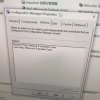
I also tried the manual installation method by running ccmsetup.exe but very odd that we can see cm icon via Control Panel but the options were incomplete. Software Center was not available on these problematic machines, either.
When I tried to install CCM client for some PCs, which were online and reachable. half of them failed to installed with following errors
- *---> Searching for SMSClientInstall.* under '\\DELL3620-01.test.com\admin$\' SMS_CLIENT_CONFIG_MANAGER 25/04/2022 17:14:05 9908 (0x26B4)
- ---> Unable to connect to remote machine "DELL3620-01.test.com" using Kerberos with alternate account, error - 0x80070005. SMS_CLIENT_CONFIG_MANAGER 25/04/2022 17:14:05 9908 (0x26B4)
- --> NTLM fallback is enabled, remote machine "DELL3620-01.test.com" is continuing with client push. SMS_CLIENT_CONFIG_MANAGER 25/04/2022 17:14:05 9908 (0x26B4)
- ---> Unable to connect to WMI on remote machine "DELL3620-01.test.com", error = 0x80070005. SMS_CLIENT_CONFIG_MANAGER 25/04/2022 17:14:05 9908 (0x26B4)
- ---> Unable to connect to remote machine "DELL3620-01" using Kerberos with machine account, error - 0x80070005. SMS_CLIENT_CONFIG_MANAGER 25/04/2022 17:14:05 9908 (0x26B4)
- --> NTLM fallback is enabled, remote machine "DELL3620-01" is continuing with client push. SMS_CLIENT_CONFIG_MANAGER 25/04/2022 17:14:05 9908 (0x26B4)
- ---> Unable to connect to WMI on remote machine "DELL3620-01", error = 0x80070005. SMS_CLIENT_CONFIG_MANAGER 25/04/2022 17:14:05 9908 (0x26B4)
- ---> Deleting SMS Client Install Lock File '\\DELL3620-01.test.com\admin$\SMSClientInstall.GTN' SMS_CLIENT_CONFIG_MANAGER 25/04/2022 17:14:05 9908 (0x26B4)
- Execute query exec [sp_CP_SetLastErrorCode] 2097152456, -2147024891 SMS_CLIENT_CONFIG_MANAGER 25/04/2022 17:14:05 9908 (0x26B4)
- Stored request "2097152456", machine name "DELL3620-01", in queue "Retry". SMS_CLIENT_CONFIG_MANAGER 25/04/2022 17:14:05 9908 (0x26B4)
- Execute query exec [sp_CP_SetPushRequestMachineStatus] 2097152456, 2 SMS_CLIENT_CONFIG_MANAGER 25/04/2022 17:14:05 9908 (0x26B4)
- Execute query exec [sp_CP_SetLatest] 2097152456, N'04/25/2022 09:14:05', 209 SMS_CLIENT_CONFIG_MANAGER 25/04/2022 17:14:05 9908 (0x26B4)
- <======End request: "2097152456", machine name: "DELL3620-01". SMS_CLIENT_CONFIG_MANAGER 25/04/2022 17:14:05 9908 (0x26B4)
- Automatic Client Push Install: Settings = ACTIVE SMS_CLIENT_CONFIG_MANAGER 25/04/2022 17:17:20 7920 (0x1EF0)
- Execute query exec [sp_CP_DeleteOldMachine] SMS_CLIENT_CONFIG_MANAGER 25/04/2022 17:17:20 7920 (0x1EF0)
- Execute query exec [sp_CP_UpdateMachineResource] SMS_CLIENT_CONFIG_MANAGER 25/04/2022 17:17:20 7920 (0x1EF0)
- Sleeping for 168 seconds... SMS_CLIENT_CONFIG_MANAGER 25/04/2022 17:17:20 7920 (0x1EF0)*
I also tried the manual installation method by running ccmsetup.exe but very odd that we can see cm icon via Control Panel but the options were incomplete. Software Center was not available on these problematic machines, either.